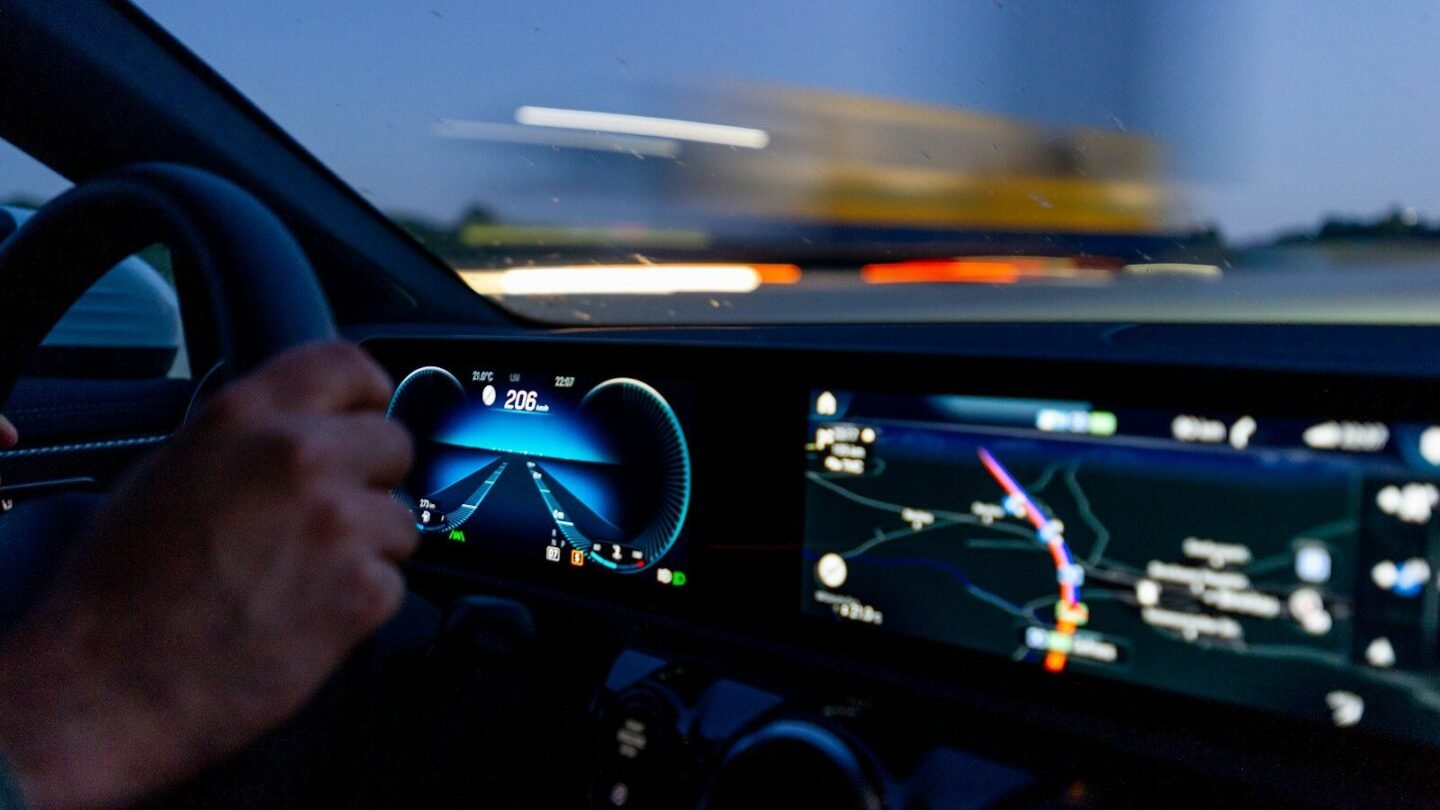
Wireless CarPlay and Android Auto are no longer a luxury reserved for premium cars. Today you can turn a factory or aftermarket head unit wireless for as little as ten euros, using a compact adapter that occupies a single USB port. The catch is elsewhere: behind the label “wireless CarPlay” sit two completely different classes of device, and buying the wrong one leaves you with a gadget that simply won’t start in your car.
CarlinKit is one of the most visible brands in this niche, and two of its popular models illustrate the fork in the road. The CarlinKit Mini Ultra 3 is built for cars where CarPlay or Android Auto already work over a cable from the factory. The CarlinKit CCPA targets vehicles with a Chinese Android head unit that never had wireless — or even wired — CarPlay at all. These aren’t “which is better” rivals; they are two tools for two different jobs.
In this article we break down how the models differ in compatibility, form factor, setup, connectivity and price, and help you work out which adapter fits your specific car. We start with the single most important criterion — the type of your head unit — because everything else depends on it.
The key difference: which head unit the device is for
If you remember only one paragraph from this article, make it this one. The CarlinKit Mini Ultra 3 is a “wired-to-wireless” adapter for cars whose factory infotainment already supports wired Apple CarPlay or Android Auto. It does not add CarPlay to the system — it removes the cable: you plug the adapter into a USB port once, and after that your phone connects over the air. If wired CarPlay has never launched in your car, the Mini Ultra 3 will not work — it has nothing to build on.
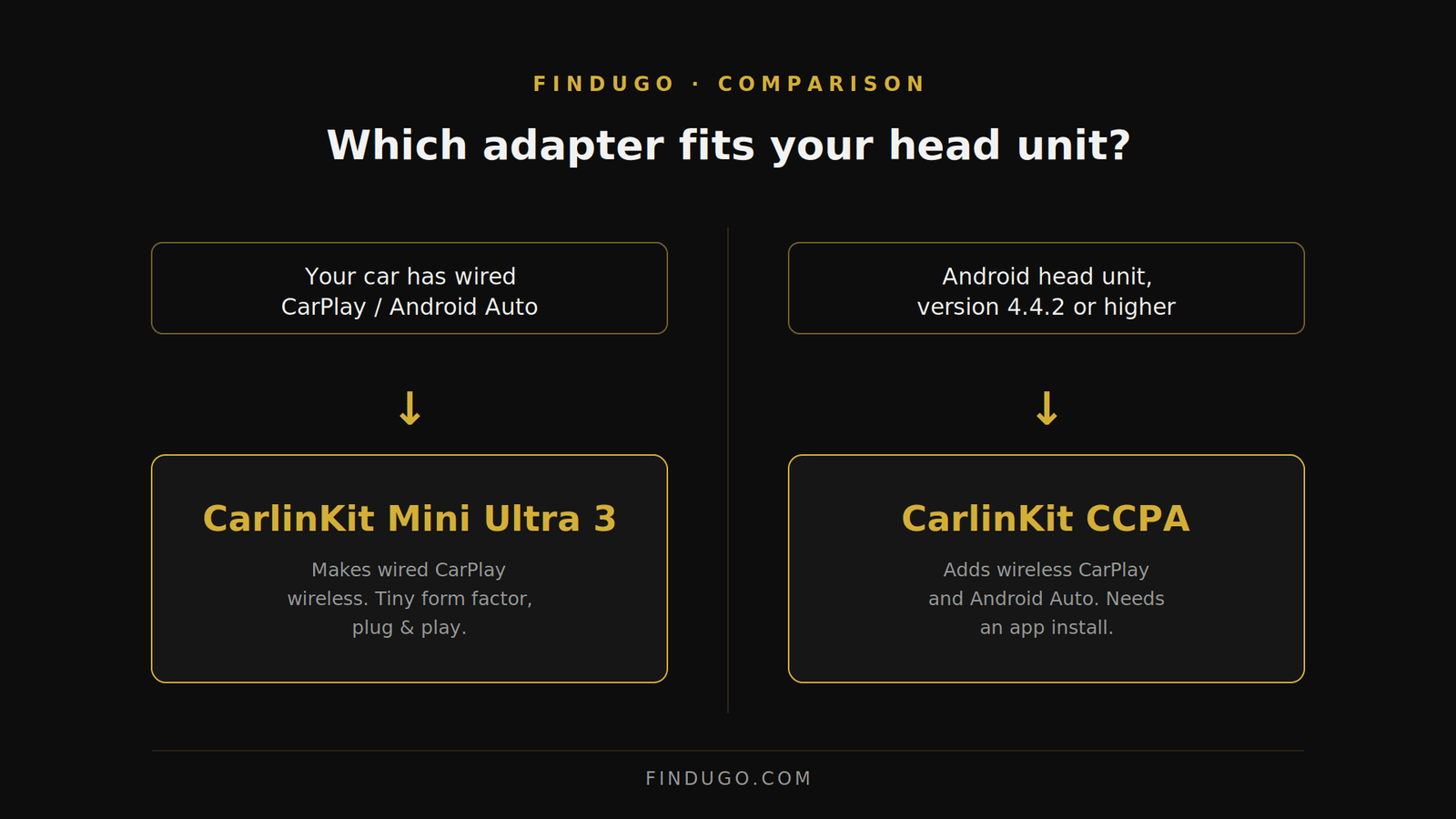
The CarlinKit CCPA solves the opposite problem. It is designed for cars with a head unit running the Android operating system — the common “Chinese” units on version Android 4.4.2 and above, fitted at the dealer or during an interior upgrade. These units don’t do CarPlay on their own. The CCPA adds wireless CarPlay, wireless Android Auto and screen mirroring (Mirrorlink) by installing a dedicated app.
It’s critical not to confuse whose Android we’re talking about. For the CCPA, what matters is the Android version of the head unit, not your smartphone. You can check it in the head unit settings under “About system”. And if you have a factory infotainment without CarPlay support, neither the Mini Ultra 3 nor the CCPA will create a CarPlay system from scratch: both adapters extend what’s already there rather than replace the head unit.
Form factor and design
Here the difference is visible at a glance. The CarlinKit Mini Ultra 3 is about the size of a coat button: 25 mm in diameter, 10 mm thick. Its total length with the USB plug is 22 mm, and that figure matters when you plan space in a USB cubby. The USB-A plug sits at a 90° angle, so the adapter hugs the panel and barely protrudes. A USB-C adapter for newer ports is included in the box.
That compactness comes with one caveat: because of the angled plug, the adapter may block an adjacent USB port. It’s worth checking how the ports are arranged in your car before buying. The body comes in Space Gray, with a tiny LED indicator for connection status. There are no ventilation holes, but it runs noticeably cooler than previous models: the thicker body works as a passive heat sink, drawing heat away from the internal components.
The CarlinKit CCPA is larger — a rectangular dongle with a short cable and a USB connector. It doesn’t aim to be “invisible” in the cabin, but it’s easier to place where the cable doesn’t need hiding and convenient to move between units. For anyone who likes a flawless interior with no stray parts on show, tidy cable routing is a task in itself; if you take your cabin seriously, our car interior detailing guide will come in handy.
Setup and first connection
The biggest practical difference between the models is how easily you get them running. The Mini Ultra 3 works on a “plug and go” basis. You connect the adapter to the car’s USB port (use the bundled adapter for USB-C), wait for the splash screen with the Bluetooth ID to appear, enable Bluetooth and Wi-Fi on your phone, find the right Bluetooth ID, pair, and confirm the launch of CarPlay or Android Auto. For Android Auto, the system may perform a quick reboot to switch to the right protocol — that’s normal initialisation.
The CCPA requires one extra step — installing an app. After connecting the adapter to USB, the head unit must be on Wi-Fi; about 30 seconds later a USB-storage icon appears in the status bar, meaning the system has recognised the adapter’s memory. Next you open a file manager (ES Browser, File Manager or any explorer), find the Boxhelper APK file on the USB device and run its installation. Boxhelper is a technical installer that deploys the main AutoKit app. After that, connecting the phone follows the same logic: launch AutoKit, enable Bluetooth and Wi-Fi on your phone, pair, and the system initialises the wireless link itself.
The setup verdict is simple: if “take it out of the box and use it right away” matters to you, the Mini Ultra 3 is easier. The CCPA asks for five minutes to install the APK through the head unit’s file manager — nothing difficult, but a step you can’t skip.
Connection, Wi-Fi and stability
Both adapters use the same wireless principle. Bluetooth acts only as a “bridge” for authorisation and pairing, while the bulk of the data — navigation, music, interface — travels over the fast Wi-Fi channel. So the stability of the picture and sound depends primarily on the quality of the Wi-Fi connection, not on Bluetooth.
The Mini Ultra 3 works on two bands — 2.4 GHz and 5 GHz — which gives headroom for stability and speed. It also has GPS passthrough active: data from the car’s antenna is passed to the smartphone, improving positioning accuracy in Google Maps or Waze. The CCPA, by its stated figures, connects quickly — around 15 seconds to launch and roughly 22 seconds for automatic connection on later trips.
The main cause of glitches is the same for both devices — a clash of wireless channels. If the phone is connected at the same time to Bluetooth headphones, a smartwatch or a third-party Wi-Fi network, connection errors are possible. Turning off unnecessary wireless connections on the phone before setup solves most “won’t connect the first time” problems.
Controls on the road
In daily use a wireless adapter shouldn’t break your usual control habits — and here the Mini Ultra 3 behaves predictably. The steering-wheel buttons work: volume adjusts instantly, and track skipping uses a long-press of the relevant buttons. For calls and voice messages it uses the car’s built-in microphone, which keeps speech clear without extra headsets.
One Mini Ultra 3 limitation is worth keeping in mind: it does not support two phones of different systems (iOS and Android) at the same time. To switch between them you return to the adapter’s main interface and select the device manually. For a household with both an iPhone and an Android phone, that means manual switching rather than automatic “who’s driving” detection.
The CCPA, beyond CarPlay and Android Auto, supports screen mirroring (Mirrorlink) — projecting the phone’s content onto the large head-unit screen. That widens the scenarios for Android units where you want not just navigation but a full phone display.
Fine-tuning and troubleshooting
The Mini Ultra 3 has a hidden fine-tuning menu (the blue IP Config interface). To reach it, connect to the adapter’s Wi-Fi network and enter its IP address (192.168.50.100) in your phone’s browser. Firmware updates are done here too. A few parameters worth knowing:
- Media Delay — the balance between audio latency and stability. A value of around 500 ms helps eliminate audio glitches.
- GPS Passthrough — using the car’s sensors for navigation. Best left on.
- Hotspot Frequency — the data transmission channel. Channel 48 often gives a more stable connection.
- Factory Reset — resets all parameters. Use only in case of connection conflicts.
The CCPA’s troubleshooting logic is different, because the head unit is part of the chain. If the connection won’t establish, run through a short checklist: the phone shouldn’t be connected to third-party devices; make sure it’s the head unit (not the phone) running Android 4.4.2 or higher; check whether the USB icon appears when the adapter is connected — if not, check the contact in the connector; close and reopen the AutoKit app after reconnecting the adapter.
Comparison table
| Feature | CarlinKit Mini Ultra 3 | CarlinKit CCPA |
|---|---|---|
| Which car it’s for | Factory wired CarPlay / Android Auto (OEM) | Head unit on Android 4.4.2+ |
| What it does | Turns wired CarPlay wireless | Adds wireless CarPlay and Android Auto |
| Apple CarPlay | Wireless | Wireless |
| Android Auto | Wireless | Wireless |
| Mirrorlink (mirroring) | — | Yes |
| Setup | Plug & play, Bluetooth pairing | AutoKit app install (Boxhelper APK) |
| Form factor | Tiny “button” 25 mm, USB-A 90° | Rectangular dongle with cable |
| Wi-Fi | 2.4 GHz + 5 GHz | Wi-Fi for data transfer |
| GPS passthrough | Yes (on by default) | — |
| Two phones at once | No (manual switching) | — |
| Approximate price | ≈ €9.54 | ≈ €31.48 |
Price and the sensible way to choose
The price gap is noticeable: the CarlinKit Mini Ultra 3 costs around €9.54 on sale (against €25 at base price), while the CarlinKit CCPA runs about €31.48 (against €66.98). But comparing them as “cheaper/more expensive” is misleading: these are devices for different head units, and for most buyers the choice is decided not by price but by what’s in the dashboard.
If your car already supports wired CarPlay or Android Auto and you just want to lose the cable — get the CarlinKit Mini Ultra 3: it’s the most compact and affordable way to make a factory system wireless. If you have an Android head unit without CarPlay, the only one of these two that will even start is the CCPA, and its price here isn’t “overpaying” but the cost of entirely different functionality.
Which adapter suits whom
Choose the CarlinKit Mini Ultra 3 if
- your car already runs wired CarPlay or Android Auto from the factory;
- you want the most discreet solution with no cables on show;
- minimum price and simple “plug and go” setup matter to you;
- you need accurate navigation using the car’s GPS antenna.
Choose the CarlinKit CCPA if
- your car has a head unit on Android 4.4.2 or higher;
- there’s no wired CarPlay in the system and it needs adding;
- beyond CarPlay and Android Auto, screen mirroring would be useful;
- you’re fine installing the AutoKit app once during first setup.
Quick setup after unboxing
CarlinKit Mini Ultra 3
- Plug the adapter into the car’s USB port (use the bundled adapter for USB-C).
- Wait for the splash screen with the Bluetooth ID on the infotainment display.
- Enable Bluetooth and Wi-Fi on your phone.
- Find the right Bluetooth ID and pair.
- Confirm the launch of CarPlay or Android Auto in the pop-up.
- If needed, wait for a short reboot (for Android Auto) — this is normal.
CarlinKit CCPA
- Make sure the head unit is on Wi-Fi and plug the adapter into the USB port.
- Wait about 30 seconds until the USB-storage icon appears in the status bar.
- Open a file manager (ES Browser / File Manager) and find the Boxhelper APK file.
- Install Boxhelper — it will deploy the AutoKit app.
- Launch AutoKit, enable Bluetooth and Wi-Fi on your phone, and pair.
- Wait for the wireless link to initialise automatically.
Frequently asked questions
Will the Mini Ultra 3 work if my car has no wired CarPlay?
No. The Mini Ultra 3 makes existing wired CarPlay or Android Auto wireless. If the factory system doesn’t support them, the adapter has nothing to work with — you need either a head unit with CarPlay support or a CCPA-class adapter for an Android head unit.
How do I know I have an Android head unit for the CCPA?
Go to the head unit settings, “About system”, and check the Android version. If it’s 4.4.2 or higher, the CCPA is compatible. Important: it’s the head unit’s version that’s checked, not your smartphone’s.
Why doesn’t the adapter connect the first time?
The most common cause is a clash of wireless channels. Disconnect Bluetooth headphones, a smartwatch and third-party Wi-Fi networks on the phone before setup. For the CCPA, also check whether the USB icon appears on connection and restart the AutoKit app if needed.
Can I connect two phones at once?
The Mini Ultra 3 doesn’t support iOS and Android simultaneously: switching between phones is done manually through the adapter’s main interface. For a mixed “iPhone + Android” household, that means selecting the device by hand when you change drivers.
Does the compact Mini Ultra 3 get very hot?
Despite the lack of ventilation holes, the Mini Ultra 3 runs noticeably cooler than previous models. The thicker body works as a passive heat sink and draws heat away from the internal components.
The bottom line
The CarlinKit Mini Ultra 3 and CCPA chase the same dream — wireless CarPlay and Android Auto — but from different starting points. The Mini Ultra 3 is ideal when the factory system already does CarPlay over a cable: tiny, affordable, fitted in a minute and almost invisible in the cabin. The CCPA is the solution for Android head units that never had wireless CarPlay at all, with screen mirroring as a bonus.
The honest limitations are worth keeping in mind too: the Mini Ultra 3 doesn’t work with two phones at once and is useless in a car without wired CarPlay support, while the CCPA needs an app install and a compatible Android head unit. In short: identify your head unit type first — and the choice between the two adapters becomes obvious.
💡 This review contains affiliate links. If you click through and make a purchase, we may earn a commission at no extra cost to you. This supports our editorial work and does not affect our recommendations. Learn more →