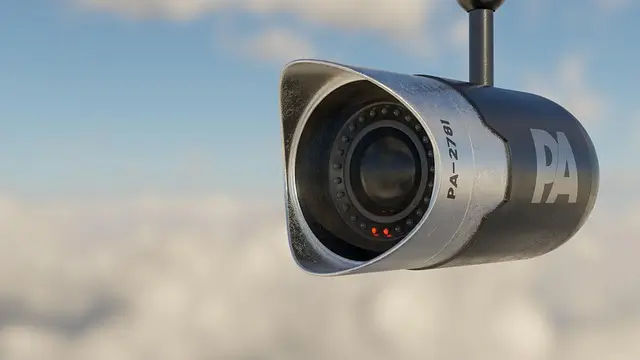
European law enforcement statistics show a steady rise in home break-ins — in 2025 alone, the number of registered cases climbed 12–15% compared to the previous year. Suburban properties remain attractive targets due to their distance from neighbours and the long stretches of time when owners are away.
Video surveillance has shifted from a luxury to a necessity for protecting private property. Visible cameras work as a psychological barrier, deterring potential burglars at the very stage when they pick a target. If an incident does happen, video footage becomes priceless evidence for police and insurance companies, dramatically improving the odds of catching criminals and recovering damages.
The 2026 surveillance market offers a huge range of solutions: from budget kits at $200 to professional AI-powered systems running into several thousand. Analog cameras now share shelves with ultra-high-definition IP technology, and wired systems compete with wireless Wi-Fi options. This guide will help you understand the system types, the key hardware specs, and how to pick the optimal setup for your needs and budget.
Why Your Home Needs Video Surveillance
Crime Prevention
Visible cameras have a powerful psychological effect on criminals planning a break-in. Criminology studies show that more than 60% of burglars abandon a target the moment they spot a surveillance system, switching to less protected properties instead. The presence of cameras simulates constant oversight, creating the illusion of active security even when nobody is home.
Documenting Incidents
Recorded footage becomes critical evidence when reporting incidents to law enforcement. Clear capture of intruders’ faces, vehicle plates, and the sequence of events dramatically increases the chances of solving the crime. Insurance companies require documented proof of theft or property damage — a video archive meets that requirement and speeds up the compensation process.
Remote Monitoring
Modern surveillance systems let you watch what is happening in real time from your phone, anywhere in the world. Homeowners can keep an eye on kids playing in the yard or check in on elderly relatives without intruding on their personal space. Watching contractors, gardeners, or cleaners helps keep service quality in check and prevents dishonest behaviour.
Perimeter Control
Cameras at the entrance gate log every visitor, building a detailed event journal. Two-way audio systems let you talk to delivery couriers without opening the gate and confirm parcel hand-offs remotely. Surveillance of the parking area documents vehicle damage incidents and helps identify the people responsible. Round-the-clock perimeter recording paints a complete picture of everything happening around your home.
Smart Home Integration
Modern surveillance systems plug easily into a smart home ecosystem, enabling sophisticated automation scenarios. Motion detection can trigger outdoor lighting, scaring off unwanted visitors and saving energy. Real-time push notifications keep owners informed of events as they happen, allowing immediate response to anything out of the ordinary. Integration with door and window sensors creates a multi-layered security system.
The Main Types of Video Surveillance Systems
Analog Systems (AHD, TVI, CVI)
Analog surveillance systems rely on a tried-and-tested method of transmitting the video signal over coaxial cable to a DVR. Each camera connects via its own cable to a central recorder, which digitizes the signal and writes the video to a built-in hard drive. The archive is viewed locally through a connected monitor or remotely over the internet using dedicated apps.
The advantages start with affordability — a basic kit of four 1080p cameras and a DVR with a hard drive runs $150–250. The simplicity of installation appeals to owners planning a DIY job: coaxial cable does not require complex network setup. The reliability of a wired connection guarantees stable operation regardless of Wi-Fi signal quality.
The ability to upgrade older systems lets owners modernize surveillance without replacing the entire cable infrastructure. Modern AHD, TVI, and CVI standards transmit high-definition signals over existing coaxial lines. The technology is especially appealing for homes that already have cabling in place from outdated analog systems.
The downsides include limited resolution — most models top out at 1080p, with rare premium variants reaching 4K. The need for a separate cable run to each camera complicates installation in already-built homes, often requiring chasing into walls or external runs. The feature set lags behind IP solutions: the lack of advanced video analytics, face recognition, and object classification limits what these systems can do.
Analog systems suit owners with a budget capped at $300–400, smaller properties needing 4–8 entry-level cameras, and upgrades to existing setups that preserve the cable infrastructure. Hikvision Turbo HD and Dahua HDCVI are the leading analog product lines, supporting resolutions up to 5MP.
IP Systems (Network Cameras)
IP surveillance systems transmit a digital video stream over an Ethernet network cable or wireless Wi-Fi connection. Each camera receives its own IP address on the local network, becoming a self-contained network device. Recording happens on a network video recorder (NVR) or directly to cloud storage, while video processing takes place inside the cameras themselves thanks to built-in processors.
The advantages of IP technology start with high resolution — modern cameras offer 2MP, 4MP, 4K (8MP), and select professional models reach 8K. The detail level lets you identify faces from 10–15 meters away, read vehicle plates, and capture small details of what is happening. The wide feature set includes video analytics with face recognition, line-crossing detection, and classification of objects into people, animals, and vehicles.
Power over Ethernet (PoE) revolutionized IP system installation by combining data transmission and power delivery in a single network cable. Simpler cabling cuts installation time and reduces material costs. Flexible scalability lets you add new cameras without replacing the central hardware — just connect the device to the network and configure it in software.
Remote access through dedicated mobile apps delivers professional-grade system control. Owners view live video, get instant motion-detection alerts, control PTZ cameras, and adjust recording schedules from anywhere. Integration with Google Home, Amazon Alexa, and Apple HomeKit ties the surveillance into a unified home-management ecosystem.
The downsides centre on cost — a basic kit of four 4MP cameras and an NVR with a hard drive starts at $400–600. Stable network infrastructure is critical for reliable operation: overloaded switches and unstable Wi-Fi cause dropped frames and recording interruptions. The setup complexity scares off inexperienced users — configuring IP addresses, ports, and network protocols requires basic networking knowledge.
IP systems are the right choice for medium and large properties of around 1,000 sqm and up, owners who demand top image quality and rich features, smart home integration, and professional setups with video analytics. Hikvision, Dahua, Axis Communications, Uniview, and Hanwha Techwin are the IP video surveillance market leaders, with broad product ranges from budget to premium tiers.
Wireless Wi-Fi Systems
Wireless Wi-Fi cameras run on batteries or a power adapter, transmitting their video stream over the wireless network to cloud servers or a local SD card. Battery-powered models can be installed anywhere without running power or data cables. Cameras with constant power deliver continuous recording without battery limitations.
The advantages of wireless systems start with installation simplicity — mounting takes 10–15 minutes with no wall drilling for cables. Mobility lets you move cameras between locations, test optimal angles, and adjust coverage zones with the seasons. Intuitive mobile apps make setup accessible to any user, no technical know-how required.
The fast time-to-deploy appeals to owners who need an immediate security solution. From unboxing to first recording takes less than half an hour. The absence of visible wires preserves the home’s exterior aesthetic without messy cable runs ruining the look.
The downsides of Wi-Fi cameras are critical for professional use. Dependence on wireless network quality leaves the system vulnerable to interference, channel congestion, and router outages. Limited battery life on cordless models requires battery swaps every 2–6 months depending on recording intensity. Cloud storage adds extra costs of $5–20 per camera per month.
Lower reliability compared to wired systems shows up as dropped frames on weak signal, video transmission delays, and inability to record when the internet goes down. Wi-Fi cameras suit city apartments and small homes with solid wireless coverage, renters who can’t run cables through walls, temporary solutions during construction of a primary system, and supplements to wired surveillance in hard-to-reach spots.
Reolink, TP-Link Tapo, Ring (Amazon), Arlo, and Eufy Security are popular wireless camera makers with cloud services and intuitive apps. Ezviz (a Hikvision subsidiary) offers affordable Wi-Fi solutions for the home segment.
Hybrid Systems
Hybrid recorders combine support for analog cameras (AHD/TVI/CVI) and modern IP devices in a single unit. The technology lets you gradually modernize an existing analog system by adding high-resolution IP cameras without replacing the whole infrastructure. Owners protect their investment in already-installed coaxial cabling while gaining the option to upgrade critical zones to IP quality.
Hikvision and Dahua offer broad lineups of hybrid DVR/NVR recorders supporting 4–32 mixed-type channels. Hybrid devices cost 20–30% more than pure analog units, but far less than a full system replacement to IP technology.
Comparison of Surveillance System Types
| Feature | Analog (AHD/TVI) | IP Systems | Wi-Fi Cameras |
|---|---|---|---|
| Kit price | From $150–250 | From $400–600 | From $50–150 / camera |
| Resolution | 1080p, rarely 4K | 2MP–8MP (4K and up) | 1080p–4K |
| Connection type | Coaxial cable | Ethernet (PoE) | Wi-Fi |
| Installation | Cable runs required | Network cabling | Easy |
| Scalability | Limited | High | Medium |
| Features | Basic | Advanced (AI, analytics) | Moderate |
| Reliability | High | High | Medium (Wi-Fi-dependent) |
| Storage | DVR (hard drive) | NVR or cloud | Cloud or SD card |
| Remote access | Yes (over internet) | Yes (good apps) | Yes (via apps) |
| Best for | Budget, simplicity | Quality, features | Fast install, mobility |
Key Specs of Surveillance Cameras
Resolution
Camera resolution determines image detail and the ability to identify objects at distance. 720p (HD) at 1280×720 pixels is now considered an outdated standard, only good for general observation without face identification. 1080p (Full HD) at 1920×1080 remains the baseline for home systems, providing acceptable detail up to 5–7 meters.
Cameras at 2MP–4MP (megapixels) with resolutions from 1920×1080 up to 2560×1440 represent the optimal balance of quality and storage volume. The detail level lets you recognize faces from 10–12 meters and read vehicle plates from 8–10 meters. 4K (8MP) cameras at 3840×2160 deliver maximum detail but require huge storage — one hour of recording takes 4–6 GB.
Specialists recommend a minimum of 2MP for outdoor perimeter cameras and 4MP for entry zones where visitor identification is critical. Indoor cameras can get away with 1080p when lighting is sufficient. Chasing maximum resolution is not always justified — the quality of optics, sensor, and image-processing chip influences the final picture more than raw megapixel counts.
Field of View
The field of view sets how wide an area the camera covers and is chosen based on the surveillance task. A narrow 30–50° field focuses on a specific zone — front door, gate, wicket. The increased identification range compensates for the limited width of coverage.
A medium 70–90° field is the universal solution for most scenarios. The combination of sufficient width and acceptable identification range makes these cameras the perimeter surveillance standard. A wide 100–130° field covers a large area with one camera — backyard, parking, the zone immediately around the house.
Panoramic cameras with 180–360° fields mount on building corners or light poles, providing all-direction views. The technology suits open spaces but loses detail at the periphery of the image. Varifocal lenses with adjustable focal length let you fine-tune the field of view after installation.
Night Vision
Infrared (IR) illumination remains the primary night surveillance technology. Invisible-to-the-eye IR LEDs illuminate the scene, the camera captures the reflected radiation, and a black-and-white image is produced. IR range varies from 20 to 50 meters depending on LED power. Smart IR automatically adjusts illumination intensity, preventing overexposure of close objects.
Dahua’s Starlight technology and Hikvision’s ColorVu deliver colour footage in extremely low light of 0.001–0.005 lux. Highly sensitive sensors capture the minimal light from streetlamps and the moon, producing colour images without IR illumination. The detail surpasses traditional black-and-white IR video, making it easier to identify subjects by clothing colour or vehicles.
Hybrid solutions combine a sensitive sensor with a white LED that switches on in total darkness. Owners get colour footage around the clock plus an extra deterrent effect — the sudden burst of bright light startles intruders. Night vision is critical for home surveillance — most break-ins happen after dark.
Weather Protection (IP Rating)
The IP rating classifies an electronic device’s protection against dust and water using two digits. The first digit indicates protection from solid particles (0–6), the second from liquids (0–9). IP65 guarantees full dust protection and resistance to water jets — the minimum standard for outdoor cameras. The hardware survives rain, snow, and dust storms unharmed.
IP66 reinforces protection against powerful water jets, suiting regions with frequent heavy rain and stormy winds. IP67 ensures short-term submersion to 1 meter — overkill for most uses, but it guarantees operation even during flooding. Indoor cameras get by with IP20–IP40, sufficient for interior spaces.
Form Factor
Bullet (cylindrical) cameras are recognizable by their elongated shape with a sun visor. The design is optimal for directional surveillance of specific zones — driveways, gates, parking. The camera’s visibility works as a psychological deterrent. The built-in visor protects the lens from direct sunlight and precipitation.
Dome cameras hide under a semi-transparent dome that masks the lens direction. The discreet design blends elegantly into architecture without spoiling a building’s facade. Vandal-resistant models with metal housings withstand attempts at physical damage. Dome cameras mount on porch ceilings, entrance overhangs, and building walls.
PTZ (Pan-Tilt-Zoom) cameras feature motorized drives for 360° horizontal rotation, up to 180° vertical tilt, and 4–40× optical zoom. The patrol function automatically moves the camera between preset points. The high cost of $500–2000 per unit limits use to critical zones on large properties.
Turret cameras combine the strengths of bullet and dome formats. The compact body on a ball-joint mount allows flexible direction adjustment without dome-design limitations. The lack of a protective dome eliminates IR illumination glare, improving night-shot quality.
Motion Detection and Smart Functions
Motion detection analyzes changes in the frame and triggers recording when activity is detected. The technology saves storage by recording only events instead of a continuous stream. Adjusting sensitivity and detection zones rules out false alarms from swaying branches, cars driving past the fence, and animals.
Face Recognition compares detected faces against a database, identifying family members and sending alerts about strangers. The technology requires cameras of at least 4MP and adequate lighting. Recognition accuracy depends on the quality of the training database and the shooting angle.
Line Crossing detection triggers when an object crosses a virtual line in the frame. The function is used for perimeter control — alerts about intrusion through a fence or gate. Crossing direction can be configured separately for entry and exit.
Intrusion Detection tracks objects appearing in a defined area of the frame. Owners mark off-limits zones — flowerbeds, the pool, outbuildings. The system ignores activity outside the virtual perimeter, focusing on critical areas.
Automatic Number Plate Recognition (ANPR/LPR) captures the licence plates of passing vehicles. The technology requires specialized cameras with a narrow field of view and high resolution. Applications include parking access control, visitor logging, and searching for stolen vehicles.
Object classification distinguishes between people, animals, and vehicles using machine-learning algorithms. Accurate classification rules out false alarms from pets, wildlife, and wind-blown debris. Uniview’s IPC Smart series and Hikvision AcuSense bring advanced classification into the mid-price segment.
Audio
A built-in microphone adds sound to the video, documenting conversations, shouts, and the sound of breaking glass. Audio helps identify how many intruders there are, understand intent from spoken words, and capture threats. The legislation in some countries restricts audio recording without notice — local rules need to be checked.
Two-way audio (intercom) turns the camera into a communication device. Owners speak with visitors at the gate without opening the door, give instructions to couriers, and warn children of danger. Ring Video Doorbell and similar smart doorbells are built around the two-way audio function. Not every camera includes audio — specs need careful review before purchase.
Recorders: DVR vs NVR
DVR (Digital Video Recorder)
A DVR processes the analog video signal from connected cameras, digitizes the stream, compresses it with the H.264 or H.265 codec, and writes it to a built-in hard drive. The recorder’s processing power determines how many channels can be handled simultaneously. Connection requires running coaxial cable for the video signal plus a separate 12V DC power cable to each camera.
DVR channel counts range from 4 to 32 depending on the model. Basic 4-channel units cost $50–80 without a hard drive, 8-channel models reach $100–150, and 16-channel professional recorders run $200–400. The modular architecture allows hard-drive upgrades without replacing the recorder.
NVR (Network Video Recorder)
An NVR records the already-processed digital video stream from IP cameras, received over Ethernet. Image processing happens inside the cameras themselves thanks to built-in chips, lowering performance demands on the recorder. Connection uses a standard network cable, often with PoE support for simultaneous data and power delivery.
NVR system flexibility allows mixing cameras from different manufacturers when ONVIF is supported. The open protocol ensures compatibility across brands, avoiding lock-in to a single vendor. Expanding the system from 4 to 8 or 16 cameras only requires buying additional units and configuring them in software.
Cloud NVRs move recording and storage functions to remote servers. The subscription model provides automatic backup, protection against hardware theft, and access from anywhere in the world. Cloud storage costs $5–30 per camera per month depending on archive depth and resolution.
Hard Drive Capacity
The required storage volume depends on camera count, recording resolution, frame rate, and desired archive depth. Storage calculators on manufacturer websites help work out exact figures for a specific configuration. As a rough guide: 1–2 TB drives provide recording for 4 cameras at 1080p with 7–14 days of retention.
4–6 TB holds an archive of 8 cameras at 2–4MP for 30 days. 8–12 TB is needed for systems with 16 or more high-resolution cameras and a month of retention. Professional systems with dozens of 4K cameras use multi-disk arrays totalling 20–50 TB.
Specialized hard drives such as WD Purple and Seagate SkyHawk are optimized for 24/7 video recording. The increased lifespan reaches 180 TB written per year, versus 55 TB for ordinary desktop drives. The technology minimizes dropped frames during simultaneous recording of multiple streams. Specialized drives cost 10–15% more than regular ones, but the reliability is worth the difference.
Camera Power: PoE vs 12V
PoE (Power over Ethernet)
PoE technology delivers power and data over a single Ethernet cable, revolutionizing IP system installation. Simpler cabling halves the cable count, saves installation time, and cuts material costs. A PoE switch or NVR with built-in PoE ports powers the cameras without separate power supplies.
The IEEE 802.3af (PoE) standard delivers up to 15 W per port, enough for most dome and bullet cameras up to 4MP. IEEE 802.3at (PoE+) raises the limit to 30 W, powering PTZ cameras with motorized drives and devices with housing heaters for extreme temperatures. Transmission distance reaches 100 meters over standard Cat5e/Cat6 copper cabling.
Centralized PoE power simplifies redundancy — a single uninterruptible power supply (UPS) protects the entire system. A power outage does not interrupt surveillance, which is critical when intruders cut the power before breaking in. PoE is considered the standard for professional IP systems thanks to its reliability and convenience.
12V DC Power
Traditional 12-volt DC power requires a separate cable run to each camera from a power supply or central source. Analog systems use this method exclusively because the video signal travels over coaxial cable. Individual power adapters are placed near the cameras or in protected enclosures.
Centralized power supplies feed 4–18 cameras from a single unit. Locating the source in a secure room makes it harder for intruders to cut power. UPS backup provides 2–6 hours of autonomous operation depending on battery capacity.
Off-grid Power (Batteries / Solar Panels)
Battery-powered Wi-Fi cameras install in places with no access to mains power — far corners of a property, gates, outbuildings. Battery life ranges from 2 to 6 months when set to record motion only. Continuous recording drains batteries in 2–4 weeks.
Solar panels deliver indefinite autonomy with sufficient sun exposure. Reolink’s solar-panel kits are popular for remote locations without electricity. High-capacity batteries store energy during the day for night-time and overcast operation. The limitation: at least 2–3 hours of direct sunlight per day are required.
Storing the Video Archive
Local Storage (HDD in the Recorder)
Recording to a hard drive inside the video recorder gives full control over the data without dependence on cloud services. The absence of monthly storage fees lowers the system’s running costs. The archive can be accessed locally through a connected monitor or remotely over the internet with port forwarding configured.
The risk of the recorder being stolen along with the recordings motivates installation in a hidden, hard-to-access spot. Specialists recommend mounting it in a locked cabinet, technical room, or restricted-access attic. Physical protection of the NVR/DVR is just as critical as the surveillance itself — a stolen recorder destroys the evidence of the crime.
Cloud Storage
Uploading the video stream to remote servers protects recordings against theft, fire, and flooding of the local hardware. Even total destruction of the cameras and recorder preserves the critical footage on cloud servers. Access to the archive from anywhere via browser or mobile app makes life easier for owners who travel often.
The monthly subscription is $5–10 per camera with 7–14 days of retention, or $15–30 for an extended 30–60 day archive. The cost scales with device count — a system of 8 cameras runs $40–80 a month. The dependence on internet connection quality is critical — an unstable connection causes gaps in the recording.
Ring, Arlo, Reolink Cloud, and Ezviz CloudPlay are popular cloud services with plans starting at $3 per camera. Some manufacturers provide free cloud storage with limited 24–48 hour retention to encourage upgrades to paid plans.
Hybrid Storage
The combination of a local NVR archive with cloud backup of critical events represents the optimal solution. Continuous recording goes to the hard drive, while motion detection triggers an upload of the relevant clip to the cloud. Owners get a full local archive with no subscription plus a protected copy of important events.
Uniview and Hikvision support hybrid storage in their premium models. Configurable rules determine which events get duplicated to the cloud — face detection, perimeter crossings, night-time activity. A reasonable balance between subscription cost and data security.
How Many Cameras Does Your Home Need?
Minimal Setup (2–4 Cameras)
Basic home protection includes a camera at the front door capturing every visitor. The backyard is covered by a second camera, preventing stealthy approaches. The gate or wicket gets a third unit to document arriving vehicles. The parking area or garage is protected by a fourth camera against vehicle theft.
The minimal setup costs $200–400 depending on the chosen technology. An analog kit of four 1080p cameras runs $200–250, while an entry-level IP system reaches $350–450. Coverage of critical zones provides baseline security on a tight budget.
Standard Setup (4–8 Cameras)
Extended protection covers all entrances to the home including side doors, ground-floor windows, and basement entries. The property perimeter is monitored along the fence with cameras spaced 15–20 meters apart. The sides of the house get units to eliminate blind spots between front and back yards.
Children’s play areas, swimming pools, and outdoor lounges fall under surveillance for child safety and accident prevention. The standard setup costs $500–1200 and provides comprehensive protection for a 150–250 sqm home on a 600–1000 sqm lot.
Extended Setup (8+ Cameras)
Maximum protection delivers full perimeter coverage with no blind spots, including far corners of the property, outbuildings, garages, and sheds. Indoor spaces get cameras for monitoring nannies, housekeepers, and contractors. The living room, children’s rooms, and hallways come under watch when owners are away.
Extended systems of 12–16 cameras cost $1500–3000 and cover homes of 300+ sqm on 1500–2000 sqm lots. Professional design optimizes camera placement, eliminating redundancy and blind spots.
How to Pick a Surveillance System: Step-by-Step
Step 1: Define Goals and Coverage Zones
A list of priority tasks defines the system requirements. Theft protection demands high resolution to identify intruders. Watching kids in the yard needs a wide field of view of play areas. Monitoring workers focuses on work zones without intruding on private spaces.
A site plan with marked coverage zones visualizes how many cameras you need. Entrances, fence perimeter, parking, and backyard are coloured by priority. Identifying blind spots helps optimize device placement for maximum coverage with minimum cameras.
Step 2: Choose the System Type
A budget under $300 limits the choice to analog systems or individual Wi-Fi cameras. Four 1080p analog cameras with a DVR provide basic protection. Two or three Wi-Fi cameras with cloud storage suit apartments and small homes.
A budget of $300–800 opens the door to entry-level IP systems with 4–6 cameras at 2–4MP and an NVR with 2–4 TB hard drive. Image quality and features significantly outperform analog. A budget of $800+ delivers professional IP systems with video analytics, 4K cameras, and smart home integration.
Step 3: Calculate the Number of Cameras
The minimal setup covers entrances and high-risk critical zones — front door, gate, backyard. The optimal system delivers full perimeter coverage plus key indoor zones. The exhaustive setup eliminates the slightest blind spot, including cameras above every window and door.
Specialist rule of thumb: one camera per 15–20 meters of fence perimeter, individual units at every entrance, additional cameras on the parking area and children’s zones. A 1,000 sqm lot with a 100–120 meter perimeter requires 6–8 cameras for proper coverage.
Step 4: Define Camera Requirements
A minimum of 1080p (2MP) is mandatory for modern systems — anything lower makes identification difficult. Entry zones get 4MP cameras for clear face recognition. Perimeter units do fine with 2MP given adequate lighting.
Night vision is mandatory for all outdoor cameras — most incidents happen in the dark. IR illumination of at least 20–30 meters provides adequate visibility. An IP65 rating or higher protects against weather. Field of view is matched to the specific zone — narrow for entrances, wide for yards.
Step 5: Pick the Storage Method
Local storage on an NVR hard drive suits owners who want to control their own data without monthly fees. A 2–4 TB volume provides 2–4 weeks of archive for a typical system. Cloud storage protects against hardware theft at the price of a regular subscription. The hybrid approach combines the strengths of both.
Step 6: Account for Infrastructure
The availability of mains power at camera locations decides between wired and wireless solutions. The ability to run cables depends on the construction stage — a new build allows hidden runs, while a finished home limits you to surface mounting. Wi-Fi network quality is critical for wireless systems — a weak signal at distant corners requires boosters or wired solutions.
Step 7: Budget and Brands
The budget tier of $200–400 is dominated by TP-Link Tapo and Reolink with basic features sufficient for small homes. The mid-tier of $400–1000 covers Hikvision, Dahua, and Uniview with professional quality and advanced capabilities. The premium tier of $1000–3000+ includes Axis Communications, Hanwha Techwin, and Bosch with unmatched quality and cutting-edge AI technology.
Step 8: Installation — DIY or Professional?
DIY installation suits Wi-Fi cameras and simple kits with ready-made cables. Manufacturers simplify the process with intuitive apps and video instructions. Professional installation is needed for complex IP systems with network cabling, VLAN configuration, and smart home integration. Installation costs run 30–50% of the equipment price.
Popular Kits and Solutions in 2025
Hikvision ColorVu (Hikvision) — a series of IP cameras with full-colour night vision technology that requires no IR illumination. Resolution of 4MP (2560×1440), built-in white LED activates in total darkness. Colour range up to 40 meters, IP67 protection, PoE power. Price $120–180 per camera. A kit of four ColorVu cameras with an 8-channel NVR and 2 TB HDD costs $700–900. Suits owners who need to identify clothing colours and vehicles at night.
Dahua Starlight (Dahua) — ultra-low-light technology of 0.002 lux for colour shooting in near-total darkness. Resolution of 2–4MP, IR illumination up to 50 meters, smart human and vehicle detection. The Starlight+ series combines a sensitive sensor with AI analytics to minimize false alarms. Price $90–150 per camera, kits start at $500. The optimal choice for perimeter surveillance of properties with minimal street lighting.
Uniview Prime Series (Uniview) — a balanced lineup of 4MP IP cameras with mid-tier features at an accessible price. Smart IR up to 30 meters, IP67, PoE, motion and line-crossing detection. The series includes bullet, dome, and turret formats for different needs. Price $70–110 per camera. A kit of six cameras with NVR and 4 TB HDD costs $650–800. Suits most homeowners looking for a price-quality balance.
Reolink Argus 3 Pro (Reolink) — a wireless Wi-Fi camera on batteries with an optional solar panel. Resolution of 4MP, 122° field of view, Spotlight colour night vision, two-way audio. Battery life up to 6 months, the solar panel delivers indefinite operation. Price $110–130 per camera, $140–160 for the kit with solar panel. Ideal for remote zones without electricity — far corners, gates, outbuildings.
Ring Video Doorbell Pro 2 (Ring, Amazon) — a smart video doorbell at 1536p with Head-to-Toe visitor detection and HD-quality two-way audio. The 150° vertical field captures parcels at the doorstep. 3D Motion Detection creates virtual detection zones. Cloud storage requires a Ring Protect subscription from $3/month. Device price $250–280. Suits owners integrating security into the Amazon Alexa ecosystem.
Axis M-series (Axis Communications) — premium IP cameras from the Swedish manufacturer with unmatched quality. Resolution up to 4K, Lightfinder technology for colour shooting at 0.09 lux, Forensic WDR for detail in backlit conditions. Built-in AXIS Object Analytics classifies people and vehicles with 95%+ accuracy. Price $400–800 per camera. Complete systems run $3000–8000. The choice for premium homes and commercial sites with high security demands.
Smart Home Integration
Platform Support
Google Home and Google Assistant integrate compatible cameras into the Google ecosystem. Voice commands like “Hey Google, show the front door camera” pipe video to Nest Hub displays or TVs with Chromecast. Automation links motion detection to lights, door locks, and notifications.
Amazon Alexa controls Ring, Ezviz, and select TP-Link cameras by voice. Integration with Amazon Key smart locks creates a keyless access system for delivery couriers. Echo Show displays video by voice command or automatically when the doorbell rings.
Apple HomeKit delivers the highest level of privacy with end-to-end video encryption. Supported cameras like Logitech Circle View, Eufy, and select Aqara record to iCloud with Apple’s data protection. HomeKit Secure Video integration requires no separate subscription — storage is included in iCloud+ plans.
Home Assistant is an open platform for smart home enthusiasts with support for thousands of devices. ONVIF-compatible cameras drop in regardless of manufacturer. The flexibility of automation surpasses commercial ecosystems but requires technical knowledge to configure.
Automation Scenarios
Activating outdoor lighting on motion detection creates a presence effect and improves recording quality. Light deters intruders psychologically while illuminating the scene for colour capture. A delay before activation rules out triggering by animals — a person stays in frame longer than a cat or dog.
Instant phone notifications keep owners informed of events in real time. Push messages with attached snapshots let you assess the seriousness without opening the app. Schedule settings limit notifications to working hours when owners are away.
Recording only on sensor triggers saves storage and simplifies event search. Integration with door sensors starts recording 10 seconds before the event, capturing the lead-in. Motion sensors inside the home activate indoor cameras when owners are out.
Voice control like “Show the garage camera” pipes video to smart displays or TVs. Activation commands for “Away” mode turn on all cameras and sensors at once. “Home” mode disables indoor cameras to preserve family privacy.
RTSP / ONVIF Standards
RTSP (Real Time Streaming Protocol) provides universal access to a camera’s video stream. The open protocol allows third-party software — VLC, Blue Iris, Frigate NVR — to view and record video. Independence from a manufacturer’s proprietary apps protects your investment when systems are switched out.
ONVIF (Open Network Video Interface Forum) standardizes interaction between IP cameras, NVRs, and software from different manufacturers. Compatibility at Profile S (basic), Profile G (recording), or Profile T (video analytics) levels guarantees mixed-system functionality. Verifying ONVIF compatibility is critical when planning to expand a system with devices from other brands.
Legal Aspects of Surveillance
What You Can Record
Your own property — house, lot, yard — is fully under the owner’s control with no recording restrictions. Common areas of multi-unit buildings — entryways, lifts, parking — allow camera installation with the consent of the majority of residents or a building management decision. The entrance zone, porch, and the area immediately outside the door are legal for surveillance as part of property protection.
What You Cannot Record
Neighbouring properties caught in the frame violate neighbours’ right to privacy. Cameras must be aimed so they capture only your own territory. Public spaces — streets, sidewalks, parks — are off-limits to private surveillance systems without specific permits.
The privacy of neighbours is protected by law — pointing a camera at someone else’s windows, yard, or recreation areas can lead to lawsuits. The field of view is corrected with privacy masks in the camera settings, blocking recording of specific zones in the frame.
Warning Signs
Posting “Video Surveillance in Use” signs at property entrances informs visitors that recording is happening. The warning serves a dual purpose: deterring intruders and meeting legal notice requirements. Workers, couriers, and guests should be informed verbally about the cameras.
Storage and Use of Recordings
GDPR in the European Union restricts the storage of personal data (video with identifiable people) to the period of necessity. Private surveillance falls under household-use exemptions when only your own property is recorded. Sharing recordings with law enforcement for crime investigation is permitted without restriction.
Maintaining and Caring for the System
Regular Camera Cleaning
Wiping the lens with a soft microfibre cloth removes dust, pollen, and insect traces every 2–3 months. Dirt degrades image clarity, creates blur, and reduces night-vision effectiveness. Mount checks reveal screws loosened by wind vibration and thermal expansion. Tightening hardware prevents the field of view from shifting.
Archive Verification
Monthly playback testing confirms that the storage system is working. Spot-checking video from different cameras and times of day catches problems before they become critical. Monitoring free space on the hard drive prevents overflow and recording stoppage. Configuring automatic overwriting of the oldest files keeps recording continuous.
Firmware Updates
Manufacturers regularly release firmware updates that close discovered security vulnerabilities. Installing updates protects the system from attacks exploiting known holes. New features arrive via firmware — improved detection, optimized night shooting, support for new protocols. Stability improves through bug fixes and performance optimization.
Backing Up Important Recordings
Critical incident clips need to be saved to separate media — flash drives, external disks, cloud storage. Automatic overwriting in the recorder can delete important evidence within weeks. Long-term storage on independent media protects legally significant recordings.
Common Mistakes in Selection and Installation
Skimping on resolution makes intruder identification impossible. 720p cameras give a general sense of events, but blurry faces at 5+ meters are useless to police. Minimum 1080p, ideally 2–4MP for entry zones.
Blind spots in coverage leave entry routes uncontrolled. Side walls of the home, fence corners, and the area directly under cameras need attention during planning. Testing fields of view before final mounting catches missed areas.
Cameras pointed at the sun create flares that make the image useless during morning or evening hours. WDR (Wide Dynamic Range) partially compensates for backlight but does not solve the problem completely. Mounting angles should account for the sun’s path.
Ignoring night vision is critical — most break-ins happen in the dark. Cameras without IR illumination are useless at night. The IR range needs to be checked in the specs — minimum 20–30 meters for outdoor units.
Installing the recorder in an accessible spot makes theft of the unit (and the recordings) easy. The DVR/NVR belongs in a locked cabinet, technical room, or restricted-access attic. Physical protection of the recorder is just as important as the cameras.
Weak passwords like “admin/admin” or “12345” leave the system open to hackers. Changing factory passwords to complex combinations is the first step after installation. Unique passwords for each camera and recorder boost security.
The absence of an uninterruptible power supply (UPS) shuts the system down during power outages. Intruders cut power to homes before breaking in. A UPS rated 500–1000 VA provides 2–4 hours of autonomous surveillance.
Cameras without vandal-resistant housings are easy to rip off or break. Metal dome models with IK10 protection survive hammer blows. High mounting at 3–4 meters makes physical damage harder.
Underestimating storage volume leads to critical events being overwritten within days. Calculators on manufacturer websites size the necessary HDD capacity for a specific configuration. A 50% capacity buffer covers unexpected events.
Surveillance System Cybersecurity
Changing Default Passwords
Factory combinations like “admin/admin” are known to hackers and are used by automated bots scanning the internet. The first thing to do after installation is change the passwords on cameras, recorder, and router. Complex combinations of at least 12 characters with letters, numbers, and special symbols defend against brute-force attempts.
Firmware Updates
Manufacturers publish security updates when vulnerabilities are discovered. Tracking updates on official sites and installing them promptly closes holes before they can be exploited. Automatic updates in modern systems simplify the process.
Network Configuration
Isolating cameras into a separate VLAN (Virtual Local Area Network) limits access to the main home network if a device is compromised. A firewall blocks unwanted connections. Restricting internet access via VPN instead of port forwarding raises the security bar for remote viewing.
Disabling Unused Features
UPnP (Universal Plug and Play) automatically opens router ports, creating potential breaches. Turning the feature off requires manual access configuration but raises control. P2P (peer-to-peer) connections through manufacturer cloud servers simplify setup but route data through third parties. Telnet and FTP — outdated unencrypted protocols — should be disabled if present.
The Cost of a Surveillance System
Budget Solutions ($200–500)
Four 1080p analog cameras with a DVR and 1 TB hard drive provide basic protection for $200–300. Two to four Reolink or TP-Link Wi-Fi cameras with cloud storage cost $150–400. DIY installation eliminates labour costs. Quality is enough to document events; identification is limited.
Mid-Range ($500–1500)
Four to eight IP cameras at 2–4MP with an NVR and 2–4 TB HDD run $600–1200 for hardware. Professional installation adds $200–400. Basic smart functions for motion detection and line crossing are included. Image quality enables reliable identification.
Premium Solutions ($1500–5000+)
Eight to sixteen 4K IP cameras with advanced AI analytics cost $2000–4000. Professional design and installation add $800–1500. Smart home integration, face recognition, and object classification are part of the feature set. Axis, Hanwha, Bosch are the premium-tier brands.
Hidden Costs
Professional cable runs cost $30–60 per drop depending on complexity. Additional hard drives for storage expansion run $80–200 for 4–8 TB. Cloud subscriptions create monthly fees of $5–30 per camera.
A 1000 VA UPS for backup power costs $150–250. Accessories — brackets, protective boxes, cables, connectors — add $100–300 to the budget. The total system cost exceeds the equipment price by 30–50%.
Alternatives to Classic Surveillance
Video Doorbells
Ring, Eufy, and TP-Link offer smart doorbells with a camera, two-way audio, and visitor detection. The devices replace ordinary doorbells and add video capture of everyone approaching the door. Cloud storage saves footage of every press. The $80–250 price makes video doorbells an accessible entry point into home security.
Floodlight Cameras
Combining a powerful LED floodlight with a camera creates a hybrid security and lighting device. Motion detection switches on a bright 1000–2000 lumen light, deterring intruders while recording colour video. Mounting on the corners of a house replaces separate cameras and floodlights. Price $150–300.
Hidden Cameras
Miniature devices disguise themselves as ordinary objects — smoke detectors, clocks, charging units. Use is limited to internal monitoring of nannies, housekeepers, and suspicious situations. The ethical and legal aspects of covert recording require careful study of local legislation.
Surveillance Trends in 2026
Artificial intelligence and machine learning are revolutionizing video analytics. Face recognition reaches 98%+ accuracy under optimal conditions. Object classification distinguishes between people, animals, and vehicles, eliminating false alarms. Behavioural analysis flags suspicious activity — lingering by a fence, attempts to hide a face, unusual movements.
4K and higher are becoming the standard thanks to cheaper sensors and processors. 8MP cameras provide enough detail for identification at 20+ meters. Select professional models reach 8K (33MP) for panoramic surveillance of large areas with a single camera.
Cloud solutions with hybrid storage are becoming the market standard. A local NVR archive is supplemented by cloud backup of critical events. The balance of subscription cost and data security suits most owners.
Cybersecurity is being reinforced by manufacturers after mass IoT device hacks. End-to-end encryption, multi-factor authentication, and regular security updates are becoming mandatory. Security certifications help pick protected products.
Smart home integration is deepening into a unified device ecosystem. Surveillance triggers complex automation — lights on, locks closed, notifications sent, all cameras recording at once. Matter — the new compatibility standard for devices from different manufacturers.
5G for surveillance enables wireless 4K streaming with no latency. Cameras in remote locations without Wi-Fi get a stable connection over mobile networks. Low 5G latency is critical for real-time monitoring and quick response.
Solar panels are expanding the use of off-grid cameras. Energy-independent devices install anywhere without cabling. Battery technology development is pushing autonomy up to 12 months even with minimal sun.
Edge computing moves video processing into the cameras themselves, reducing the load on the network and recorder. AI analytics runs locally without piping the stream to the cloud. Privacy improves through on-device processing of sensitive data.
Surveillance Myths
“Expensive and complicated” is debunked by affordable Wi-Fi cameras from $50 with setup in 10 minutes via a mobile app. Basic systems start at $200, providing decent protection. Complexity matches the chosen technology — wireless solutions are accessible to beginners.
“They will steal the equipment anyway” is solved by cloud storage that preserves footage even when the cameras and recorder are stolen. Critical events are duplicated to the cloud automatically. High mounting and vandal-resistant housings make physical damage harder.
“This is only for rich homes” ignores the burglary statistics, which show even distribution across all neighbourhoods. Budget systems at $200–400 effectively deter intruders through the visible presence of cameras. The psychological effect works regardless of equipment cost.
“Cameras don’t work at night” is debunked by IR illumination delivering up to 50 meters of visibility in total darkness. Starlight and ColorVu technologies create colour images in minimal light. Modern cameras are specifically optimized for night operation.
“Violation of neighbour privacy” is avoided by correct mounting that captures only your own territory. Privacy masks in the settings block recording of others’ properties. Compliance with legal norms avoids conflicts with neighbours.
“Hackers will break in” is prevented by changing default passwords, regular updates, and VPN access instead of direct internet exposure. Proper security configuration makes hacking extremely difficult. The risk is significantly lower than the potential damage from a break-in.
Where to Buy a Surveillance System
Specialized security shops offer professional consultation from experienced staff. Hands-on inspection of equipment helps assess build quality, sizes, and weights. Design and installation services are available in one place. Warranty service through the seller simplifies issue resolution.
Electronics hypermarkets carry popular mass-market brands — TP-Link, Reolink, Ezviz. The selection is limited to bestsellers; professional models are absent. Immediate purchase and pickup suit urgent needs.
Marketplaces like Amazon, AliExpress, and local platforms provide a huge selection of models in every price tier. Comparing specs and prices takes minutes through filters. Customer reviews with photos of real-world operation are more honest than marketing materials. Home delivery saves time, and international sellers offer exclusive models.
Manufacturer websites — Hikvision, Dahua, Axis — guarantee genuine equipment without counterfeits. Direct sales eliminate middleman markups. Full technical documentation, firmware updates, and support are available directly.
The “see it offline, order it online” strategy optimizes the balance of price and confidence in the choice. In-store inspection assesses quality, online purchase saves 10–25%. Verifying equipment compatibility before purchase prevents disappointment.
Final Thoughts
Video surveillance has become an accessible and effective tool for protecting private homes against the rising threat of break-ins. Today’s technology offers solutions for any budget — from basic Wi-Fi cameras at $50 to professional AI-powered IP systems running into thousands. The psychological effect of visible cameras deters most intruders at the target-selection stage.
The optimal system depends on lot size, budget, and image-quality requirements. Analog solutions deliver baseline protection at a minimum $200–300. IP systems provide professional quality, advanced functionality, and smart home integration for $500–1500. Wi-Fi cameras simplify installation for renters and temporary setups.
Minimum 1080p resolution, mandatory IR night vision, and motion detection are the baseline requirements for modern cameras. IP65+ protection is critical for outdoor units that will face rain, snow, and dust unharmed. Proper coverage planning eliminates blind spots that could allow undetected entry.
System cybersecurity deserves the same attention as physical installation. Changing default passwords, regular firmware updates, and VPN for remote access protect against hacks. Isolating cameras in a separate network limits potential damage if a device is compromised. Negligence in security settings turns a defensive system into a vulnerability.
Integrating surveillance with the smart home ecosystem boosts effectiveness and convenience. Automatic scenarios for lights on motion detection, instant phone notifications, and voice control via Google Assistant or Alexa create a multi-layered security system. Unified device control simplifies daily use.
Professional installation is justified for complex IP systems with cabling, network configuration, and integration. Investing 30–50% of equipment cost in quality installation guarantees reliable operation for years. The DIY approach suits simple Wi-Fi solutions and ready-made kits with detailed instructions.
An investment in a quality surveillance system pays off in family peace of mind, property protection, and lower insurance premiums. The ability to monitor the home around the clock from anywhere in the world turns a suburban property into a safe haven. A properly designed and installed system serves 10–15 years, providing reliable protection for the long-term real estate investment.
If reviews like this one are useful for you, bookmark Findugo.com — we regularly publish helpful guides and trusted recommendations for smart shopping.