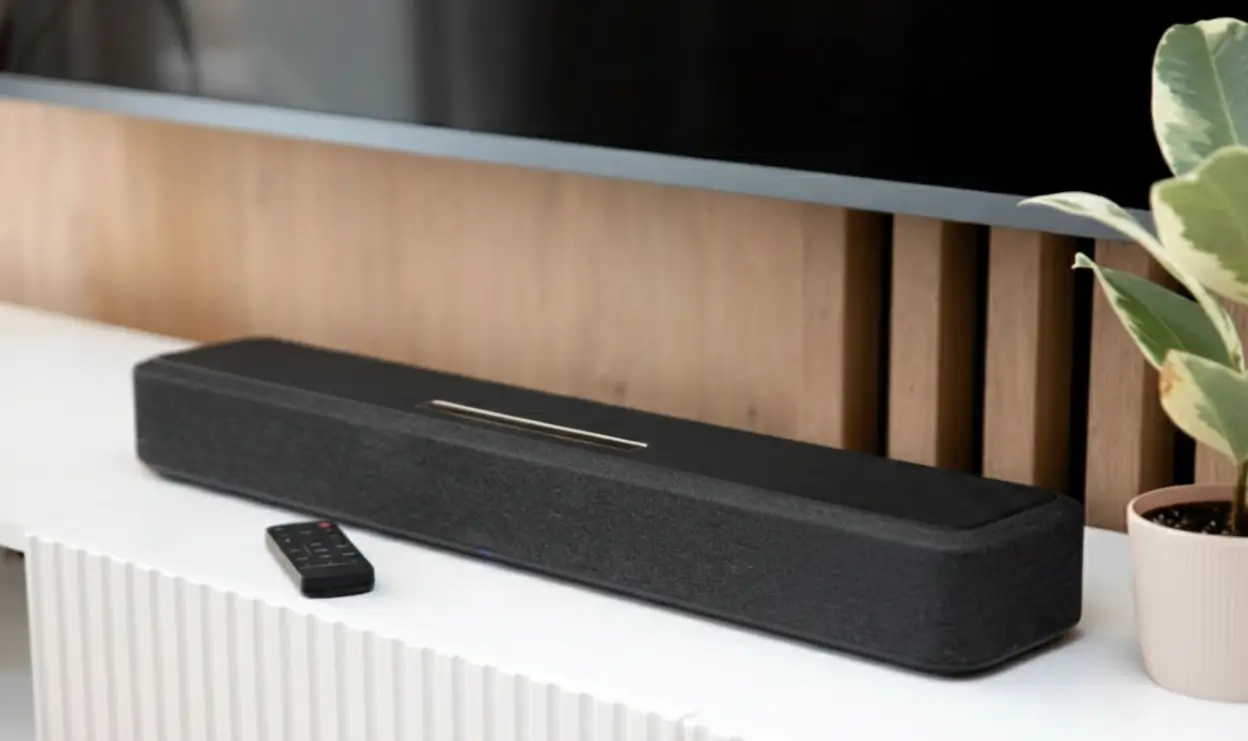
Modern TVs keep getting thinner, the picture brighter, and the sound quality often disappointing. Manufacturers sacrifice acoustics for minimalist design: a 2–3 cm thick chassis simply doesn’t have room for proper speakers. The result — flat sound with no bass that turns blockbuster epic scenes into muffled mumbling.
A TV soundbar solves this elegantly: one compact panel replaces a complex speaker system and delivers cinematic sound. But the industry doesn’t sleep — marketers have invented dozens of ways to make you overpay for features you’ll never use. “Powerful 1,000-watt sound”, “surround 7.1”, “cinematic quality” — these phrases often hide a basic stereo pair with virtual effects.
This article breaks down when a soundbar is actually needed, which specs matter, and which ones aren’t worth paying extra for. We’ll analyse specific models from budget to premium, show how to connect and tune the system properly. The main thing — learn to tell real value from marketing promises.
Do You Need a Soundbar: An Honest Answer
When a Soundbar Is Genuinely Needed
A 55+ inch TV with 2x10W audio is the typical scenario. The drivers face backward or downward, the sound bounces off the wall and gets lost. While watching films, you constantly ride the volume: dialogue is barely audible, explosions are deafening. A soundbar fixes the issue physically: larger drivers, proper sound direction, a dedicated channel for speech.
Gamers on PlayStation 5 or Xbox Series X get a real edge from a soundbar. Spatial audio helps locate enemy footsteps, low frequencies add weight to every shot. Latency over HDMI eARC is minimal — 10–20 ms, imperceptible to the human ear.
A large 30–40 m² living room with high ceilings absorbs the built-in TV speakers. Here you need 250–400W of real (not peak!) power and a subwoofer is mandatory. Otherwise the sound dissolves into the space, especially with bare walls and no soft furniture or carpets.
Listening to music through the TV is another scenario. Spotify, YouTube Music, Apple Music look natural on the big screen, but stock TV speakers kill the detail. Even a budget 2.1 soundbar will reveal the difference between instruments and reproduce vocals cleanly.
When You Can Skip the Soundbar
A small 12–15 m² bedroom with a 32–43 inch TV doesn’t need extra audio. At 2–3 metres away, the built-in speakers handle TV shows and news fine. Spending $150–200 in this case is wasteful.
Rare TV viewing — once or twice a week for a background news channel — doesn’t justify the investment. Even if a soundbar improves the sound, you simply won’t notice the difference at that usage level.
Premium TVs like Sony Bravia XR, Samsung QN95C, or LG G3 already have decent speakers. Manufacturers integrate 40–60W drivers with Dolby Atmos support. It won’t replace a real system, but for everyday viewing it’s quite enough. Adding a soundbar here only makes sense for true audiophiles.
A tight $100 budget is better spent elsewhere. Soundbars in this range (JBL Bar 2.0, basic Xiaomi models) improve sound only marginally — by 20–30%. Save up to $150–200, where models with a real difference begin.
Alternatives to a Soundbar
A full 5.1 or 7.1 speaker system with an AV receiver is the perfectionist’s pick. Five to seven physical speakers around you create true surround sound that a soundbar only simulates virtually. Downsides: price from $500, complex installation, lots of cables, space required. Upsides: pinpoint sound positioning, the option to upgrade individual components.
Active studio monitors like JBL 305P MkII, Edifier R1280T, or PreSonus Eris are an unexpected alternative. These speakers are built for honest sound reproduction without embellishment. For $200–300 you get more detail than a mid-range soundbar. The downside: you need a separate sub for bass, and there’s no remote control (manage from PC or phone).
A Bluetooth speaker like JBL Charge 5 or Sony SRS-XG300 for small rooms is a portable option. Carry it to the kitchen, bedroom, or balcony. Sound is better than the built-in TV one, but without bass and spatial effect. Price $100–150, high versatility.
Headphones like Sony WH-1000XM5 or AirPods Max for personal viewing — maximum detail and full isolation. Ideal for late-night cinema without disturbing the family. Downside: not suitable for shared viewing, and you need a wire or charging.
What a Soundbar Is and How It Works
Inside the Sound Panel
A soundbar is a horizontal panel 60–120 cm long, containing two to nine drivers in a single chassis. Inside: drivers of different diameters (20–25 mm tweeters for highs, 50–75 mm midranges for voice, sometimes 100+ mm woofers for bass), a class-D amplifier, and a sound-processing chip.
Virtual surround sound is created with physics tricks. Drivers are angled, sound reflects off walls and ceiling and reaches the ears from different directions. The processor calculates delays and signal levels to create the illusion of audio sources behind and above. This works in rooms with low ceilings (2.5–3 metres) and not-too-large spaces.
The difference from regular speakers is integration and directionality. A stereo pair has two separate enclosures spread 2–3 metres apart for proper stereo imaging. A soundbar combines everything in one place under the TV, compensating for the lack of spread with sophisticated signal processing.
Soundbar Configurations
2.0 configuration — two channels (left and right), no sub. Compact 60–80 cm models for TVs up to 43 inches. Sound is cleaner than the TV’s, but bass is absent. Price $100–150. Example: JBL Bar 2.0 All-in-One.
2.1 configuration — stereo plus a separate subwoofer for low frequencies 50–150 Hz. The most popular format, balancing price and quality. Soundbar 80–100 cm, sub wireless or with a single power cable. Bass is enough for action films, explosions have weight. Price $150–300. Example: Samsung HW-B650.
3.1 configuration — adds a centre channel specifically for dialogue. Character voices sound clearer, not blending with background music. Worth it if you often watch films with complex audio tracks. Price $250–400. Example: LG S75Q.
5.1 and 5.1.2 configurations — five channels (front, centre, rear) plus sub, optionally two height drivers for Atmos. Rear channels are either virtual or separate wireless speakers in the box. Real surround effect only emerges with physical rear speakers. Price $400–700. Example: Samsung HW-Q700C.
7.1.2 and 9.1.4 configurations — premium systems with the maximum number of channels. Seven to nine main channels, two to four height channels for Dolby Atmos. Separate rear and side speakers create a dome of sound. Only for 40+ m² rooms and an $800–1,500 budget. Example: Samsung HW-Q990C.
The numbers decode like this: the first is the count of main ear-level channels, the second is whether there’s a sub (always 1 or 0), the third (if present) is height channels for 3D audio.
Audio Technologies
Dolby Atmos — a surround sound format with height channels. Instead of fixed 5.1 channels, it uses audio objects moving in 3D space. A helicopter flies overhead, rain pours down. To work, you need: Atmos content (Netflix, Disney+, UHD Blu-ray), a TV that can pass Atmos through eARC, a soundbar with height drivers or ceiling-bouncing audio.
DTS:X — Atmos’s competitor from DTS, similar principles. Less common in streaming services but present on discs. Some soundbars support both formats; cheaper ones — Dolby only.
Virtual Surround — a marketing label for simulating surround sound with two drivers. Works mediocrely: the effect depends on room acoustics, listener position, ear shape. Marketing makes it look like “real 5.1”, in reality it’s delay and phase-shift processing. Don’t expect miracles from a 2.1 soundbar branded “Virtual 5.1”.
ARC and eARC (Audio Return Channel, Enhanced) — the technology for sending audio from TV to soundbar over HDMI. One cable instead of two, volume controlled by the TV remote. eARC supports Dolby Atmos and DTS:X uncompressed; the older ARC — only Dolby Digital 5.1. Critical for premium soundbars.
What to Look At When Choosing
Room Size and Power
A room up to 20 m² is filled by a 150–200W (not peak!) soundbar. That’s a typical bedroom or kitchen-living room. More power creates discomfort — too much bass, neighbours complain.
A 20–40 m² space requires 200–400W and a 6–8 inch (150–200 mm) subwoofer is mandatory. Standard living room in a flat or house. The difference between budget and mid-range models is already noticeable here.
Spaces of 40+ m² with high ceilings demand 400+ W or a full 5.1 system. Even a powerful soundbar won’t fill the volume of a large hall — the sound disperses, the bass disappears. If the room is that big, consider speakers with separate enclosures.
Why more watts doesn’t equal better sound: manufacturers quote peak power (a brief maximum), not RMS (sustained). The gap is 2–3x. A “1,000W” soundbar actually delivers 300–400W continuously. Driver quality, signal processing, and acoustic tuning weigh more than the watt numbers.
Channel Count
For occasional series watching in a small room, 2.0 or 2.1 is enough. Budget $100–200, the result — clearer dialogue and a touch of bass (if 2.1).
Regular film watching and console gaming justify 3.1 or 5.1. The centre channel is critical for speech, the surround effect adds immersion. Budget $250–500, the optimal balance for most.
Dolby Atmos only makes sense if: a) you watch a lot of Atmos content (Netflix Premium, Disney+, 4K Blu-ray); b) the soundbar has actual height drivers or quality ceiling-bouncing; c) the ceiling is no higher than 3 metres and not a stretched fabric one (cloth absorbs sound). Otherwise Atmos is marketing — virtual imitation with no real benefit. Budget “Atmos” at $200 is a misleading promise.
Whether There’s a Subwoofer
A subwoofer built into the soundbar saves space, but physics is undefeated: a small 100–120 mm driver won’t produce deep bass below 80 Hz. Result — boomy bass without weight.
An external subwoofer with a 6–10 inch (150–250 mm) driver reproduces 30–100 Hz, adds physical sensation. Explosions, music, jet engines — everything gains weight. Wireless is more convenient (only a power cable), but $30–50 more expensive.
Do you actually need one: for news and talk shows — no; for films and music — absolutely yes. Low frequencies make up 40% of the emotional impact of a soundtrack. Without a sub, action scenes lose drama and rock music sounds hollow.
Connection Methods
HDMI ARC/eARC is the priority pick. One cable carries audio from TV to soundbar, supports all formats including Atmos (via eARC). Allows volume control with the TV remote via CEC. Make sure your TV has an HDMI port labelled ARC or eARC (usually HDMI 2 or HDMI 3).
Optical cable (Optical/TOSLINK) — a backup for older TVs without HDMI ARC. Sound quality is good, but limits apply: maximum Dolby Digital 5.1, Atmos isn’t passed. No single-remote volume control. Use it when eARC isn’t available.
Bluetooth — convenient for music from a smartphone, but not for video. A latency of 100–300 ms creates lip-sync mismatch on screen. Audio is compressed via SBC or AAC codecs (aptX Low Latency is better, but rarely seen). As an extra option — great; as the main one — no.
Wi-Fi/AirPlay 2/Chromecast — for uncompressed music streaming. Spotify Connect, Apple Music, Tidal sound better than over Bluetooth. But for TV audio, it’s not suitable (latency is even higher).
Analogue 3.5 mm input (AUX) — outdated, lower quality than digital interfaces. Only if connecting very old equipment.
Additional Features
HDMI inputs (not ARC, regular) let you connect a PlayStation, Xbox, or Blu-ray player directly to the soundbar, with video passed through to the TV (passthrough). Handy when the TV runs out of ports. Check support for 4K 120 Hz for gaming on PS5/Xbox Series X.
Voice assistants like Alexa or Google Assistant turn the soundbar into a smart speaker. Play music with your voice, control the smart home. Useful if you already use the Amazon or Google ecosystem.
4K/8K passthrough support is critical if you have a 4K TV or newer 8K model. Older soundbars may downscale to Full HD. Look for HDMI 2.1 marking for full compatibility.
Sound tuning — the equaliser in the smartphone app, preset modes (movie, music, news, game, night). Night mode compresses dynamic range: dialogue is clearer, explosions quieter. Useful for evening viewing.
Controls: a remote in the box, an iOS/Android app, control via the TV remote through HDMI CEC. The best models support all three.
Marketing Tricks and Overpaying
What’s NOT Worth Paying Extra For
Excessive 500+W power for a 20 m² room is wasteful. At above 40–50% volume, the drivers start distorting and neighbours bang on the wall. Buying an 800W system for a small living room means paying for capacity you’ll never use.
Dolby Atmos in the budget tier under $250 is virtual imitation. Real Atmos requires height drivers or accurate ceiling reflection, which can’t be done cheaply. The “Dolby Atmos” label on the box doesn’t guarantee surround effect. Without physical up-firing drivers (angled upward), it’s marketing.
Dozens of sound modes (movie, sports, concert, game, party, news, dialogue, night) — most never used. Only 2–3 are actually useful: standard, movie, night. The rest are EQ variations you can tune manually.
Premium-brand markup on Bose or Bang & Olufsen of 30–50% with no real audio improvement. These companies make quality products, but part of the price is for the logo and prestige. Compare the Bose Smart Soundbar 900 at $900 with the Samsung HW-Q800C at $600: the audio gap is 10–15%, the price gap is 50%.
Hi-Res Audio in a soundbar is a marketing trick. The format is for above-CD music playback (24 bit/96 kHz), but: a) streaming services deliver at most 16 bit/48 kHz; b) the difference is only audible in ideal conditions with audiophile-grade content; c) soundbars are tuned for cinema, not for critical music listening.
RGB lighting and light effects — zero impact on audio quality. May look cool at a party, but adds $20–30 to the price. If your budget is tight, choose a model without lighting and with better drivers.
What’s Worth Paying For
A real external subwoofer with a 6+ inch (150+ mm) driver is the foundation of quality sound. The gap between 2.0 and 2.1 configurations is dramatic. Paying $50–80 extra is fully justified.
eARC instead of the outdated ARC — the ability to pass Dolby Atmos and DTS:X uncompressed. If you’re buying a soundbar to last several years, eARC ensures compatibility with future content. The $30–50 premium pays off.
Build quality and materials — a metal chassis instead of plastic, a fabric grille instead of cheap mesh. Durability, better acoustic behaviour, nicer look. The $40–60 gap between Samsung HW-B550 (plastic) and HW-Q600B (metal) is noticeable.
Support and updates — brands like Sony, Samsung, LG release firmware that fixes bugs and adds features. Cheap no-name models age out within a year with no support for new formats.
A trusted brand (but not always the most expensive) — a guarantee of audio quality. JBL, Sony, Samsung, LG, Sonos have reputations, service centres, user communities. China’s Xiaomi is also reliable for the money. Beware of unknown brands on marketplaces with suspiciously low prices.
Typical Marketing Phrases
“Cinema-quality sound” in the description of a $150 soundbar is hyperbole. A real cinema has dozens of speakers totalling kilowatts of power. A budget soundbar improves the TV audio, but cinema-grade is a long way off.
“Powerful 1,000W audio” — almost always peak power, not RMS. Real continuous output is 300–400W. The number 1,000 looks impressive on the box but doesn’t match reality.
“Surround 5.1 sound” in a 2.1 configuration is virtual simulation, not five physical drivers. There is an effect, but it’s incomparable to a real system with separate rear speakers.
“Premium audio experience” is a vague term with no specifics. What does “premium” mean? Which technologies, exactly? If the description is fuzzy, the product is most likely middling.
Popular Soundbar Models Reviewed
Budget Soundbars (Under $200): Best Budget Soundbars
Xiaomi Mi Soundbar 3.1
3.1 configuration with an external wireless subwoofer. 180W power (panel 30W + sub 150W). Connection via HDMI ARC, optical, Bluetooth 5.0. 83 cm long, ideal for 43–55 inch TVs.
Pros: the centre channel makes speech clearer, sub bass is enough for films, supports Dolby Audio and DTS, control via the Mi Home app, price around $150–180.
Cons: the plastic chassis looks cheap, the virtual surround works modestly, no eARC (only ARC), no HDMI inputs.
Who it’s for: owners of mid-size TVs on a tight budget who want a clear audio upgrade without paying for a brand premium. Optimal for rooms up to 25 m².
Samsung HW-B650
3.1 configuration with a wireless subwoofer. Total power 430W. Connection HDMI ARC, optical, Bluetooth 5.2, USB. 96 cm long.
Pros: powerful bass from a 6.5-inch sub, DTS Virtual:X support for surround simulation, Game Pro mode with low latency for consoles, solid build, adaptive sound adjusts to content, price $180–220.
Cons: no Dolby Atmos, ARC only without eARC, virtual surround can’t match physical rear speakers, the SmartThings app is unstable.
Who it’s for: PlayStation and Xbox gamers, families who watch films regularly, 20–30 m² rooms. A solid balance of power and price in Samsung’s lineup.
Mid-Range ($200–500): Balance of Price and Quality
Sony HT-S400
2.1 configuration with a powerful sub. Total power 330W. HDMI eARC, optical, Bluetooth, USB. 90 cm long. Wired sub.
Pros: eARC for Dolby Atmos passthrough (though no physical height drivers), X-Balanced Speaker mode for clarity, low price for a model with eARC ($250–280), wired sub eliminates latency, simple setup.
Cons: only two channels with no centre, virtual Atmos without real surround, the wired sub limits placement, plastic chassis.
Who it’s for: those planning to watch Dolby Atmos content from streaming services but ready to live with the virtual implementation for now. A good investment hedge for the future at a sensible price.
LG S75Q
3.1.2 configuration with a wireless sub and height channels. 380W. HDMI eARC, optical, Bluetooth 5.0, Wi-Fi. 99 cm long.
Pros: real height drivers for Dolby Atmos, centre channel for clear speech, eARC passes all formats lossless, AI Sound Pro auto-optimises audio, compatibility with LG TVs to sync the speakers, price $350–400.
Cons: the height effect only works with low ceilings (up to 2.7 m), no physical rear speakers, bass is moderate for the power, the app requires registering an LG account.
Who it’s for: LG TV owners for full integration, Dolby Atmos content fans, 25–35 m² rooms with normal ceilings. The optimal pick in the mid-range.
Premium ($500+): Best Soundbar for the TV
Samsung HW-Q990C
Flagship 11.1.4 configuration with a wireless sub and two rear speakers in the box. 656W. HDMI eARC (2 in + 1 out), optical, Bluetooth, Wi-Fi, AirPlay 2, Spotify Connect. 123 cm long.
Pros: physical rear and height drivers create a real audio dome, supports every format (Dolby Atmos, DTS:X, IMAX Enhanced), Q-Symphony syncs Samsung TV speakers to amplify the effect, SpaceFit Sound calibrates audio to room acoustics, HDMI 2.1 with 4K 120 Hz for gamers, premium metal build.
Cons: price $1,200–1,400, the rear speakers need outlets (only the data link is wireless), bulky system for small rooms, overkill for casual news watching.
Who it’s for: cinephiles with a 4K Blu-ray collection, Netflix/Disney+ Premium subscribers, owners of large 40+ m² living rooms, PS5/Xbox Series X gamers. A genuine alternative to a 7.1 system with a receiver.
Sonos Arc
5.0.2 configuration without a sub (sold separately). Power not stated (Sonos doesn’t disclose specs). HDMI eARC, optical (via adapter), Wi-Fi, AirPlay 2, Spotify Connect. 114 cm long.
Pros: eleven drivers in the chassis deliver a wide soundstage, Dolby Atmos with height channels, Trueplay calibration via iPhone optimises for the room, system can be expanded with a Sonos Sub and rear Sonos Ones, integration with the Sonos multiroom system, Alexa and Google Assistant voice assistants, elegant design, price $900–1,000.
Cons: bass without a sub is weak (the Sub costs an extra $700), only one HDMI input, no Bluetooth (Wi-Fi and AirPlay only), dependence on the Sonos app, the cost of expanding the system mounts up.
Who it’s for: Sonos ecosystem fans, music lovers who value streaming quality, iPhone owners (Trueplay only works with iOS), those willing to invest in gradual system expansion. Ideal for smart-home integration.
TABLE: Soundbar Comparison by Price Tier
| Tier | Price | Channels | Key features | Best for | Example models |
|---|---|---|---|---|---|
| Budget | $100–200 | 2.0 / 2.1 | Basic audio upgrade, Bluetooth, simple setup | Small rooms, occasional viewing, tight budget | Xiaomi Mi Soundbar 3.1, Samsung HW-B550, JBL Bar 2.1 |
| Mid-range | $200–500 | 2.1 / 3.1 / 5.1 | External sub, Dolby Atmos (virtual), eARC, good quality | Mid-size rooms, regular film watching, gamers | Sony HT-S400, LG S75Q, Samsung HW-Q700C |
| Premium | $500–1,000+ | 5.1.2 / 7.1.2 / 9.1.4 | Real Dolby Atmos, rear speakers, premium audio, every format | Large rooms, cinephiles, audiophiles, home theatre | Samsung HW-Q990C, Sonos Arc, Sony HT-A7000, Bose 900 |
| Alternative | $150–400 | 2.0 (stereo) | Active studio monitors — more honest sound | Audiophiles, those who value music reproduction | Edifier, PreSonus, JBL 305P (not soundbars!) |
Connecting a Soundbar to the TV: Step-by-Step
Method 1: HDMI ARC/eARC (Recommended)
What you need: an HDMI cable version 2.0 or higher (usually included with the soundbar). For eARC, HDMI 2.1 is preferred but 2.0 works.
Step-by-step:
Step 1: Find the HDMI port on the TV labelled ARC or eARC. Usually HDMI 2 or HDMI 3, often marked “HDMI (ARC)” or “HDMI 2 (eARC)”. If unsure, check the TV manual.
Step 2: Plug one end of the HDMI cable into the ARC/eARC port on the TV, the other into the HDMI OUT (ARC) port on the soundbar. Don’t confuse it with HDMI IN if the soundbar has multiple ports.
Step 3: Power on TV and soundbar. Open the TV’s audio settings: Menu → Sound → Sound output → Select “HDMI ARC” or “External speaker” or “Audio system”. The names vary by brand.
Step 4: Enable HDMI CEC in the TV settings to control soundbar volume with the TV remote. Samsung calls it “Anynet+”, LG — “SimpLink”, Sony — “BRAVIA Sync”. Path: Settings → General → External devices → HDMI-CEC → Enable.
Step 5: Verify audio is going through. Play a video, confirm sound comes from the soundbar. On some models, an “ARC” or “TV” indicator lights up.
Possible issues: No sound — check the right ARC port is selected on the TV, restart both devices. Audio-video lag — in soundbar settings activate “Lip Sync” or “AV Sync” and adjust the delay. Soundbar doesn’t respond to the TV remote — enable HDMI CEC on both devices.
Method 2: Optical Cable
When to use: if the TV is older and lacks HDMI ARC, or the ARC port doesn’t work, or you need to free HDMI for other devices.
Step-by-step:
Step 1: Find the Optical (Digital Audio Out) port on the TV’s back panel. It looks like a small square hole with a cap, sometimes glowing red.
Step 2: Remove the protective caps from both ends of the optical cable. Plug one end into the TV (Optical Out), the other into the soundbar (Optical In). The cable only fits one way.
Step 3: In the TV’s audio settings, select “Optical output” or “Digital audio output”. On the soundbar, switch the source to “Optical” with the remote.
Step 4: In the TV’s settings, set the digital output format: choose “Dolby Digital” or “Bitstream” to pass surround sound. Selecting “PCM” gives stereo only.
Limits: maximum format is Dolby Digital 5.1, Dolby Atmos isn’t passed via optical (only via HDMI eARC). Volume control of the soundbar with the TV remote doesn’t work — you need the soundbar’s own remote.
Method 3: Bluetooth
Pairing process:
Step 1: On the soundbar, press the Bluetooth or Source button, select BT mode. The indicator starts flashing blue.
Step 2: On the TV, open Bluetooth settings: Menu → Sound → Sound output → Bluetooth speaker list → Search for devices.
Step 3: Pick the soundbar from the list of found devices. Confirm the pairing. The soundbar indicator turns solid blue.
Pros: no cables, quick connection, the soundbar can be used with a smartphone or laptop.
Cons: audio latency 100–300 ms — characters’ lips move before the speech is heard. Audio is compressed via SBC or AAC, detail is lost. Connection drops are possible from Wi-Fi router interference. Not suitable for film or game audio, music only.
Common Connection Problems
No sound from the soundbar: check the right input is selected on the soundbar (HDMI/Optical/BT), confirm the TV’s audio output is set correctly (not the TV speakers), try another HDMI cable (faulty cables are common), restart both devices by unplugging from the wall for 30 seconds.
Audio-video lag: enable Lip Sync or Audio Delay in the soundbar settings; if you’re using Bluetooth — switch to HDMI or optical; update the soundbar firmware to the latest version from the manufacturer’s site.
Soundbar doesn’t respond to the TV remote: enable HDMI-CEC in both TV and soundbar settings, confirm you’re using the ARC port specifically rather than a regular HDMI; if CEC is on but doesn’t work — toggle the feature off and on, restart the devices.
Audio cuts out or distorts: replace the HDMI cable with a higher-quality one, check the connectors are firmly seated, move the Wi-Fi router away from the soundbar (interference), reduce the volume — distortion at maximum is normal for budget models.
How to Tune the Soundbar for Optimal Audio
Placement
On the cabinet under the TV — the optimal position. The soundbar sits on the same plane as the screen, audio aimed straight at the listener. 10–15 cm from the wall behind the TV for bass reflection. The soundbar’s centre matches the screen’s centre.
Wall mount under the TV: use the bracket from the box or a universal one. Height — directly under the TV’s lower edge with a 5–10 cm gap. Mounted higher or to the side, the stereo image breaks. Check the mount is secure — soundbars weigh 3–7 kg.
Height and angle: tweeters (high-frequency drivers) should sit at the seated viewer’s ear level or just below. If the soundbar sits too low (on the floor), the highs are absorbed by furniture. No tilt is needed, the panel stays horizontal.
Subwoofer placement: put it in a corner to amplify bass — the walls work as resonators. Avoid the centre of the room (bass nulls). Don’t hide it in a cabinet or behind a sofa — the sound is choked. Experiment with placement: hook up the soundbar, play bass-heavy music, move the sub around the room, listen for where bass sounds fullest and most even. The optimal spot is unique to each room.
Audio Tuning
Calibration: premium models offer auto-tuning (Samsung SpaceFit Sound, Sonos Trueplay, Sony Sound Field Optimization). The system plays test tones, a microphone in the soundbar or your phone analyses room acoustics, and the EQ adapts automatically. Run calibration on first use and after rearranging furniture.
Equaliser: if there’s no auto-cal, tune manually via the app or on-screen menu. Bass: for films lift to +2/+3, for music keep neutral (0). Mid: usually leave alone, but if voices sound boxy, raise to +1. Treble: if the sound is too sharp, drop to -1/-2; if you’re missing detail, raise to +1.
Sound modes: Standard — balanced for everything. Movie — boosted bass and surround, dialogue clearer. Music — emphasis on mids and highs, instrument balance. News — focus on voice, bass suppressed. Night Mode — dynamic range compression: explosions quieter, speech audible at low volume.
Subwoofer level: adjust separately from main volume. Start in the middle (0 or 50%), play an explosion scene. Bass should be felt physically but not overwhelm the rest. If the sub booms or “muds” — reduce; if there’s no rumble — bump it up. The optimal level — bass is sufficient but doesn’t dominate.
Room Acoustics
The impact of furniture and walls: soft furniture (sofas, armchairs, curtains, rugs) absorbs highs and mids, making the sound warmer. Bare walls and hard floors reflect audio, creating echo and edge. The ideal room is balanced: soft furniture plus some hard surfaces.
Absorbing materials: if the sound is too bright and echo is intrusive, add textiles — a rug in front of the TV, heavy curtains on the windows, decorative pillows on the sofa. Bookshelves diffuse sound and remove resonances.
Why an empty room sounds worse: with no furniture, sound bounces between every surface multiple times, voices smear, bass is boomy and unclear. After furnishing, reflections are tamed, the audio image clears up. A soundbar shows real quality only in a lived-in room — store demos don’t reflect home results.
Where to Buy a Soundbar at a Good Price
Brand Stores
Authenticity guarantee: Samsung Store, Sony Centre, LG Brand Shop, Bose Store sell only original gear with no counterfeit risk. Consultants know the product and can help with setup.
Official warranty: full manufacturer term (usually 1–2 years), service centres in major cities, free repair or replacement on defects.
Downside: prices 10–20% above retailers. Promotions are rare, discounts modest. Selection limited to current models; last year’s sold out.
Major Retailers
Europe: MediaMarkt and Saturn (Germany, Austria — huge selection, demo zones for listening), Fnac (France, Spain — electronics and media, cultural events), Currys (UK — wide stock, price match policy).
USA: Best Buy (electronics leader, exclusive models, Geek Squad for installation), Amazon (maximum price competition, customer reviews, Prime next-day delivery).
Promotions and sales: watch weekly promos, email newsletters, cashback programmes. Major chains regularly cut prices 15–30%.
Online Marketplaces
Amazon: check the seller rating (4.5+ stars, thousands of reviews), read negative reviews carefully, buy items marked “Sold by Amazon” or “Fulfilled by Amazon” for safety. Beware of Chinese sellers with suspiciously low prices.
eBay: fits for buying used or open-box soundbars at 30–50% off. Check the seller’s history, PayPal Buyer Protection availability. Request extra photos and videos of the unit working.
Lower prices, but care is needed: $20–40 savings versus brand stores, but the risk of counterfeits or refurbished units. The warranty may be void in your country.
Authenticity check: cross-reference the serial number on the box and the unit against the manufacturer’s database (usually on the official site), check packaging quality (fakes have crumpled boxes and crooked labels), originals are 10–15% heavier due to quality materials.
When to Buy
Black Friday / Cyber Monday (late November): 30–50% off last year’s soundbar models, retailer competition at peak. The best time of year to buy electronics. Downside: the rush — popular models sell out within hours.
New Year sales (January): retailers clear stock before new shipments arrive. 20–40% off, smaller selection than November but lower competition.
Before new model launches (spring/summer): manufacturers announce new lines in March-April; older models drop 25–35%. Samsung’s 2024 Q-series gets cheaper before the 2025 Q-series launch.
Summer promotions (July-August): off-season, retailers stimulate sales with 15–25% off. Not on Black Friday’s scale, but selection is good.
TV and Soundbar: Compatibility and Synergy
Does the Brand Match Matter
Samsung TV + Samsung soundbar: the Q-Symphony feature syncs the TV and soundbar speakers, working together to amplify audio. 2023–2024 models integrate via the single SmartThings app. Sound modes auto-switch with content.
LG TV + LG soundbar: similar integration, shared control via Magic Remote, speaker syncing on flagship models. AI Sound Pro on TV and soundbar work in tandem.
Sony TV + Sony soundbar: Acoustic Center Sync combines the TV’s centre channel with the soundbar to amplify dialogue. Audio calibration accounts for both devices.
But any soundbar works with any TV: HDMI ARC, Bluetooth, optical standards are universal. Single-brand synergy gives a 5–10% quality bonus, but isn’t critical. Don’t overpay for compatibility if you’ve found a better-value soundbar from another brand.
Soundbar Size vs TV Size
The visual harmony rule: the soundbar’s length roughly matches the TV’s width. A 55-inch TV is about 120 cm wide — fits a 100–120 cm soundbar. A 43-inch TV (95 cm) — an 80–100 cm soundbar. That’s aesthetics, not audio.
Sound trumps aesthetics: a small 60 cm soundbar under a huge 75-inch TV looks out of proportion, but if the budget is tight, a good compact soundbar beats a bad big one. Driver and amplifier quality matter more than dimensions.
The protruding-edges issue: if the soundbar is wider than the TV, it can block the IR receiver or ambient light sensor. Check before buying where the sensors sit on your TV model.
Format Support
Verifying TV eARC support: open TV settings → HDMI → look for “eARC Mode” or “Enhanced Audio Return Channel”. If present — your TV supports it. Alternative: check the model spec on the manufacturer’s official site. TVs from 2019 onward usually have eARC.
Dolby Atmos passthrough: full passthrough requires the chain: source with Atmos (Netflix Premium, Disney+, Apple TV+, 4K Blu-ray) → TV with eARC → soundbar with Atmos. If even one link doesn’t support it, audio “falls back” to Dolby Digital 5.1. Check all three.
TV audio settings: turn off all the “enhancement” features in the TV menu (Clear Voice, Surround, Equalizer). They conflict with the soundbar’s processing, creating double-processing and distortion. Set “Bitstream” or “Pass Through” to send the original signal unchanged.
Common Mistakes When Choosing a Soundbar
Picking on power instead of quality: a 500W soundbar with cheap drivers sounds worse than 250W with quality drivers. Watts dictate loudness, not audio quality. Look at brand reputation, reviews, the chance to listen.
Ignoring room size: buying a premium 11.1.4 system at $1,200 for a 15 m² room is wasted money. The system can’t realise its potential in a small space. And vice versa: a budget 2.1 at $150 in a 50 m² lounge will dissolve silently.
Buying an Atmos soundbar without Atmos content: if you only watch broadcast TV and YouTube, Dolby Atmos is pointless. Those sources deliver stereo or 5.1 at most. Atmos only makes sense for Netflix/Disney+/Apple TV+ Premium subscribers or 4K Blu-ray collectors.
Overpaying for a brand without testing: Bose, Bang & Olufsen, Devialet — prestige names, but the audio gap to Samsung/Sony/LG flagships is often minimal while the premium runs 40–60%. Always listen before buying, compare blind. The most expensive often doesn’t win.
Underestimating the importance of a sub: “I’ll get 2.0, I don’t need bass” — a typical mistake. A month later: the disappointment — the sound is thin, weightless. Bass is half the impression in a film. Saving $50 on the sub kills 70% of the soundbar’s potential.
Wrong connection: using Bluetooth for film viewing instead of HDMI causes audio sync issues. Connecting via ARC instead of eARC strips Dolby Atmos. Read the manual, connect properly — get twice the quality.
No testing before buying: ordering online without listening is a lottery. Audio is subjective; one person’s perfect is another’s harsh. Where possible, visit a shop, listen to 2–3 models in your budget range, pick a favourite, then hunt the best price online.
Is It Worth Buying a Soundbar in 2026
Soundbar relevance: the market grows 12% per year, manufacturers invest in technology. 2026 soundbars are twice as good as 2020 models at the same price. The format isn’t getting old, it’s evolving.
Trends: Dolby Atmos is becoming more affordable — models with real height channels now start at $350 (it used to be $700). Wireless rear speakers in the box are dropping into the mid-range. Wi-Fi and multiroom are standard even on budgets. eARC is replacing ARC across the board.
Competition from streaming speakers: Sonos, Apple HomePod, Amazon Echo Studio — alternatives for music lovers. But for film viewing they lag soundbars on latency and audio format. Different markets with minimal overlap.
Improving built-in TV audio: 2024–2025 flagships from Sony, Samsung, LG come with 60–80W speakers and Dolby Atmos. That cuts the need for a soundbar in casual viewing. But for true cinematic experience, physics is undefeated — a separate sub and large drivers deliver an order of magnitude more.
Verdict: yes, a purchase is justified if chosen properly for needs and budget. Don’t chase flagships if you watch TV an hour a day. Don’t downgrade to 2.0 if you love cinema. The sweet spot is 2.1 or 3.1 in the $200–400 range for 90% of users.
Bottom Line
A TV soundbar is a sensible investment in home entertainment quality. Modern thin TVs physically can’t deliver respectable sound, and a compact audio panel solves the issue without the complications of a multi-channel system.
What matters is not overpaying for marketing: the 1,000W numbers and Dolby Atmos labels on budget models often mislead. Real quality is set by driver size and quality, the presence of a real subwoofer, chassis materials, and brand reputation. The gap between $200 and $250 models can be huge, while between $800 and $1,200 it can be minimal.
The choice depends on three factors: room size (15 m² needs 150W, 40 m² needs 400W), budget (the optimum is $200–400 for most), and needs (occasional viewing — 2.1 is enough; cinephiles — at least 3.1 with eARC). The category comparison table in the article is a practical tool for picking your option.
Proper connection maximises quality: HDMI eARC passes every format losslessly, enabling HDMI CEC gives single-remote control, placing the sub in a corner amplifies bass. Spend an hour on proper setup — get 50% more quality from the same system.
Buy at the right time: Black Friday, New Year sales, pre-launch periods deliver 30–50% off. Saving $100–200 lets you pick a higher-tier model or budget for a quality HDMI cable and wall mount.
If reviews like this one are useful for you, bookmark Findugo.com — we regularly publish helpful guides and trusted recommendations for smart shopping.