Budget projectors usually fail in two places: real-world brightness comes in 30–40% below the spec sheet, and the “smart” Android inside isn’t Netflix-certified, so streaming gets capped at SD. The thing you bought for relaxation turns into a chore — you end up bolting on a TV stick, fighting manual keystone correction every time, and tolerating a dim image.
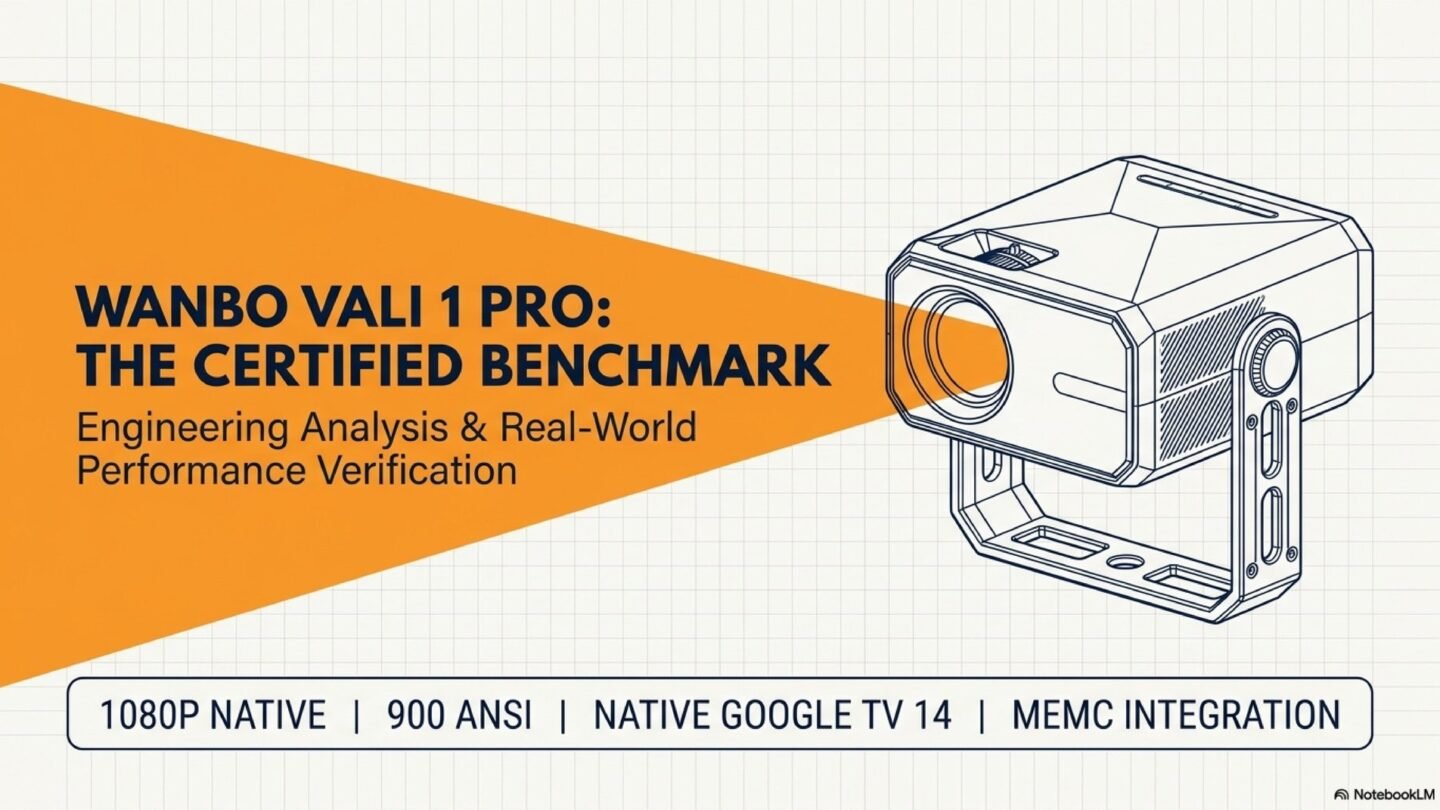
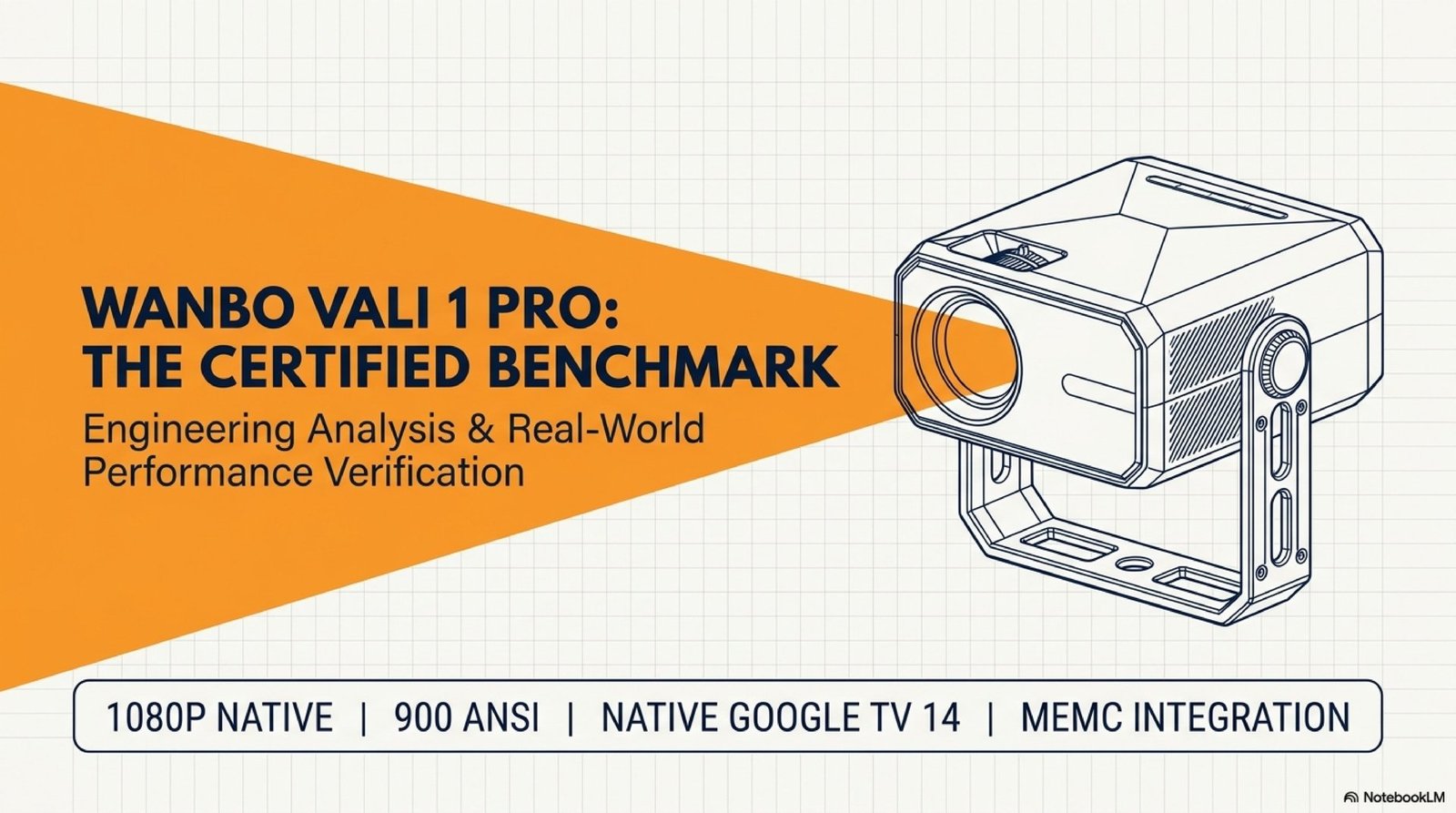
The Wanbo Vali 1 Pro breaks that pattern in two ways. First, measured 900 ANSI lumens (luxmeter test on a 9-point grid, 5% margin). Second, certified Google TV 14 on the SDMC platform with Netflix L1, Widevine L1 and Chromecast out of the box. Plus a 360°-swivel gimbal stand for ceiling projection, a MediaTek 9660 TV-class chipset, and a replaceable dust filter.
This Wanbo Vali 1 Pro review covers what each technology actually delivers, where the projector has its one honest limitation (no, it isn’t 4K — and that’s fine), and how to set it up properly after unboxing.
Where to buy the Wanbo Vali 1 Pro
As of August 2026 the model is effectively unavailable in Europe: it has been pulled from AliExpress, Amazon.de shows no active offers, and on Amazon.it only third-party sellers list it at around €360 — nearly a third above the €279 launch price.
We would not advise buying on those terms. We will update this box as soon as the Vali 1 Pro returns at a sensible price. Checked 8 August 2026.
Gimbal design with full 360° rotation
The main thing that sets the Wanbo Vali 1 Pro apart from typical cube projectors is the gimbal stand, which gives a full 360° vertical rotation axis. That isn’t the small tilt range you get on competitors — it’s complete freedom: the unit rotates all the way to vertical, projecting straight up to the ceiling with no external mount or adapter required.

A few practical details that set this implementation apart from similar designs:
- The power cable routes through the stand itself — it doesn’t exit from the side and doesn’t twist when you rotate the body.
- The base has a standard 1/4″ thread compatible with any camera tripod or ceiling mount.
- The chassis uses a quality matte plastic with no play in the hinge. The weight and centre of gravity let you sit it on a narrow shelf without tipping.
The “lie in bed, project a 100-inch screen onto the ceiling” scenario works straight out of the box — no brackets or mounts needed.
900 ANSI lumens: measured, not just claimed
In the budget projector segment, ANSI lumens is the most frequently faked spec. Manufacturers print “12,000 lumens” when real brightness is 200–300 ANSI, because almost nobody runs an actual luxmeter test.
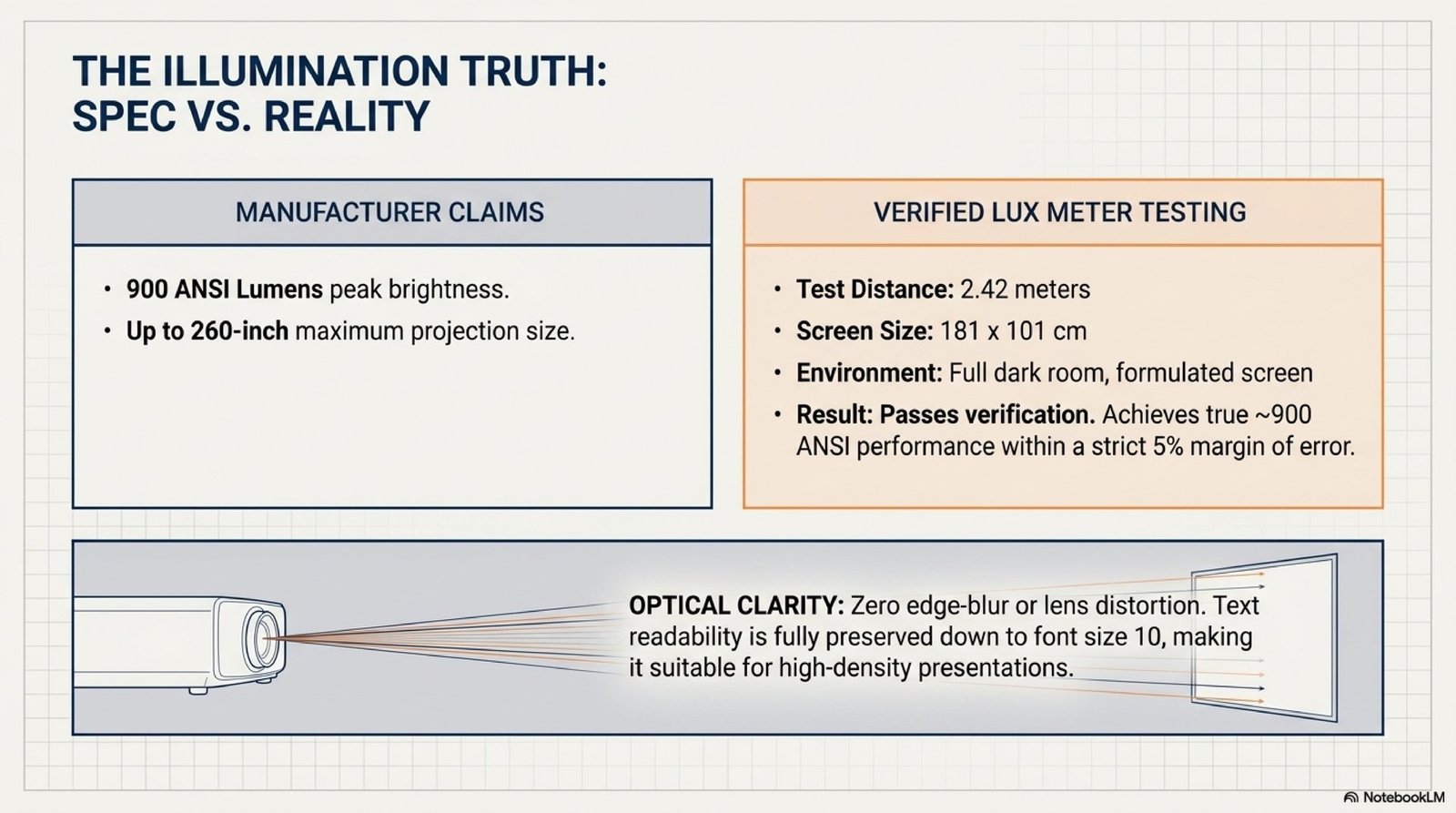
For the Wanbo Vali 1 Pro, the measurement followed the standard 9-point methodology: 181×101 cm screen, 2.42 m distance, full blackout, lux readings converted to ANSI lumens. The result — 900 ANSI with a margin of error under 5%. That’s the threshold where a projector stops being a “dark-room-only toy”: at 100–120 inches the image stays readable even with mild ambient light (closed curtains during the day).
The manufacturer’s claimed 260-inch maximum is theoretical. For sensible pixel density in practice, target a 100–120-inch diagonal (≈ 220×125 cm) — at that size Wanbo delivers a clean, saturated image without muddy patches or dark corners.
MediaTek 9660: TV-grade chipset
Most projectors run on stripped-down media processors that can barely handle a 1080p file. The Wanbo Vali 1 Pro packs a MediaTek 9660 (MT5896) — a full television-class chipset from SDMC, the same OEM that builds platforms for major TV brands.
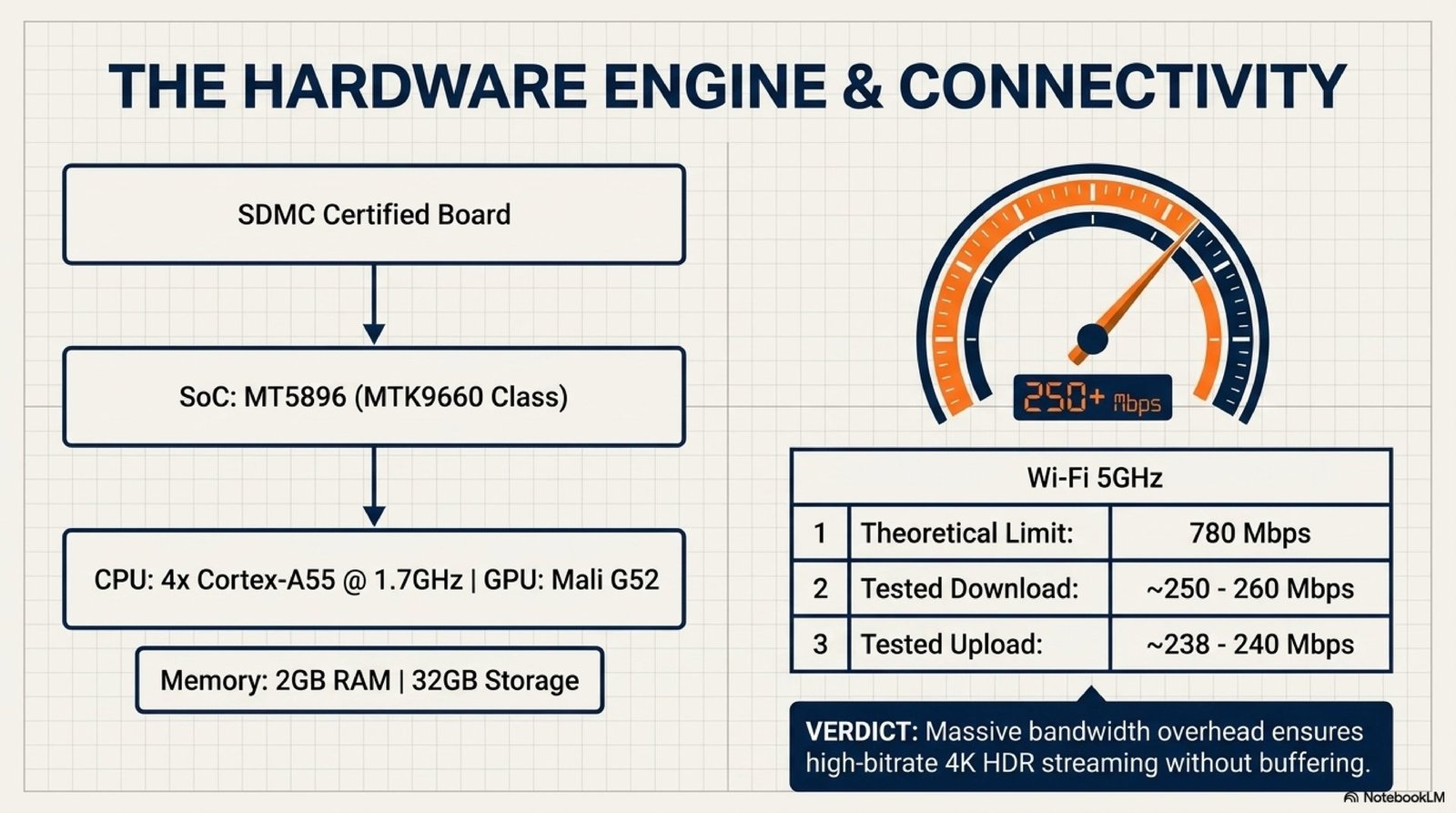
What this delivers: the Google TV 14 interface runs without stutter, apps launch in 1–2 seconds, and heavy 4K streams over HDMI are processed with real-time HDR metadata. Hardware decoding for AV1, VP9.2 and H.265 (HEVC) runs on-chip rather than in software — meaning an NTFS drive with a 30 GB MKV file plays without dropouts.
One caveat: 2 GB of RAM is modest for Google TV in 2026. Under heavy use (multiple apps open, heavier games) the system may unload background tasks. For typical home-cinema use it’s invisible.
MEMC, HDR10 and a clean 1080p panel
The panel is native 1080p (Full HD), not 4K. That’s part of honest positioning: at this price the Wanbo Vali 1 Pro doesn’t pretend to be 4K via pixel shifting, the way many competitors do. It accepts a 4K signal over HDMI but downscales to 1080p without losing sharpness.
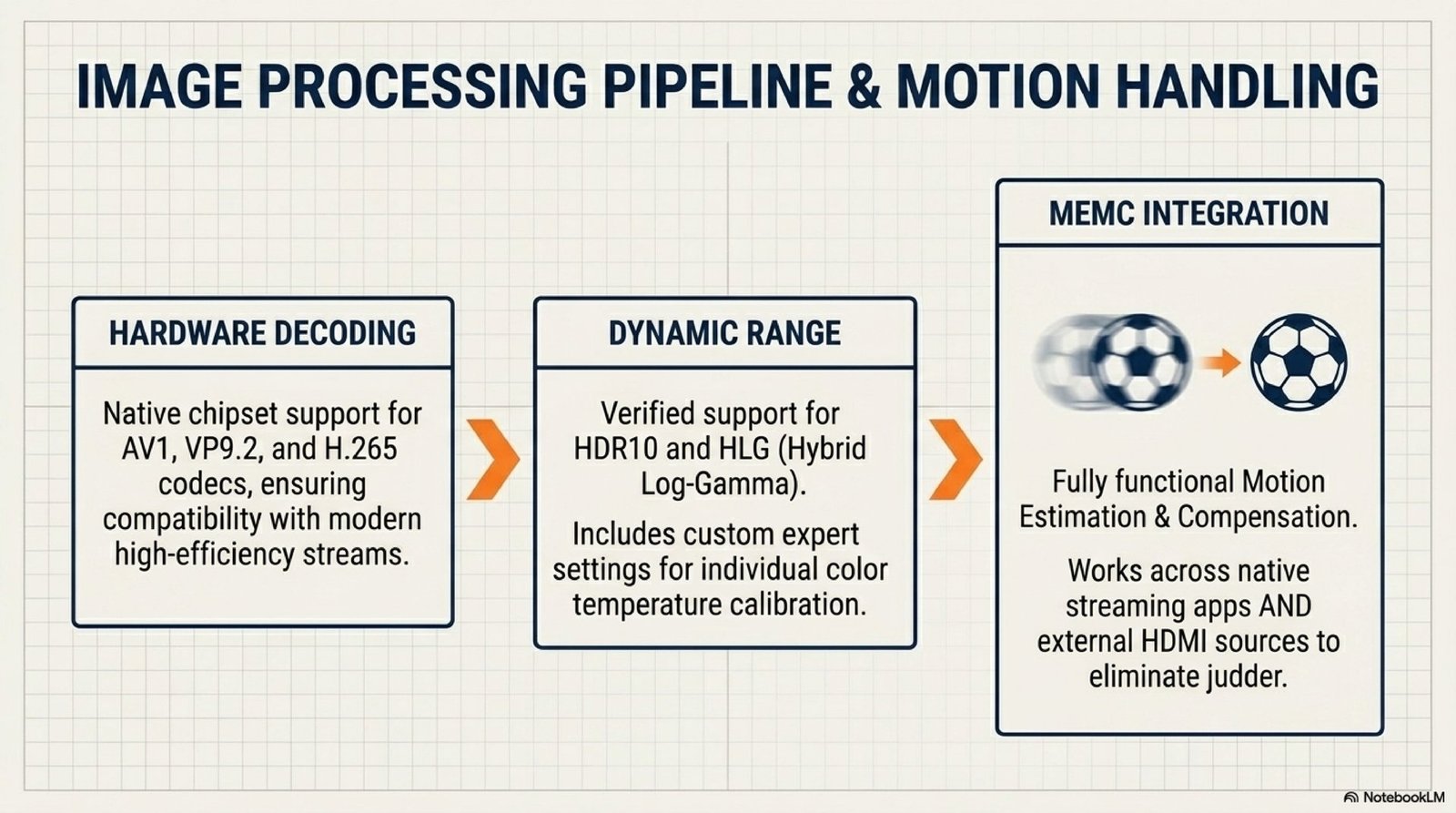
Key image-processing features:
- MEMC. The motion-compensation algorithm generates intermediate frames between source frames. For sports (football at 50fps), action films and dynamic content the image becomes noticeably smoother. The algorithm runs not just on the internal player but also over external HDMI — a rarity at this price point.
- HDR10 and HLG. Both specifications supported. The HDR stack handles the extended dynamic range correctly on Netflix, YouTube and HLG broadcast.
- Clean optics. Factory-calibrated lens eliminates barrel distortion at the edges. Test fonts stay readable down to 10 pt — meaning text doesn’t blur in document or presentation modes.
What’s missing: Dolby Vision and HDR10+. For content released exclusively in Dolby Vision (some Netflix originals, UHD Blu-ray discs), the projector falls back to standard HDR10 — still a good result on a 1080p panel, but cinephiles with a 4K Blu-ray collection should note this.
Automatic optics: focus, keystone, obstacle avoidance
In budget projectors, manual focus and keystone correction is the main source of frustration. Place the unit slightly off-axis, and you spend 5 minutes adjusting dials to turn a parallelogram back into a rectangle. The Wanbo Vali 1 Pro automates this with four ToF-sensor-based functions.
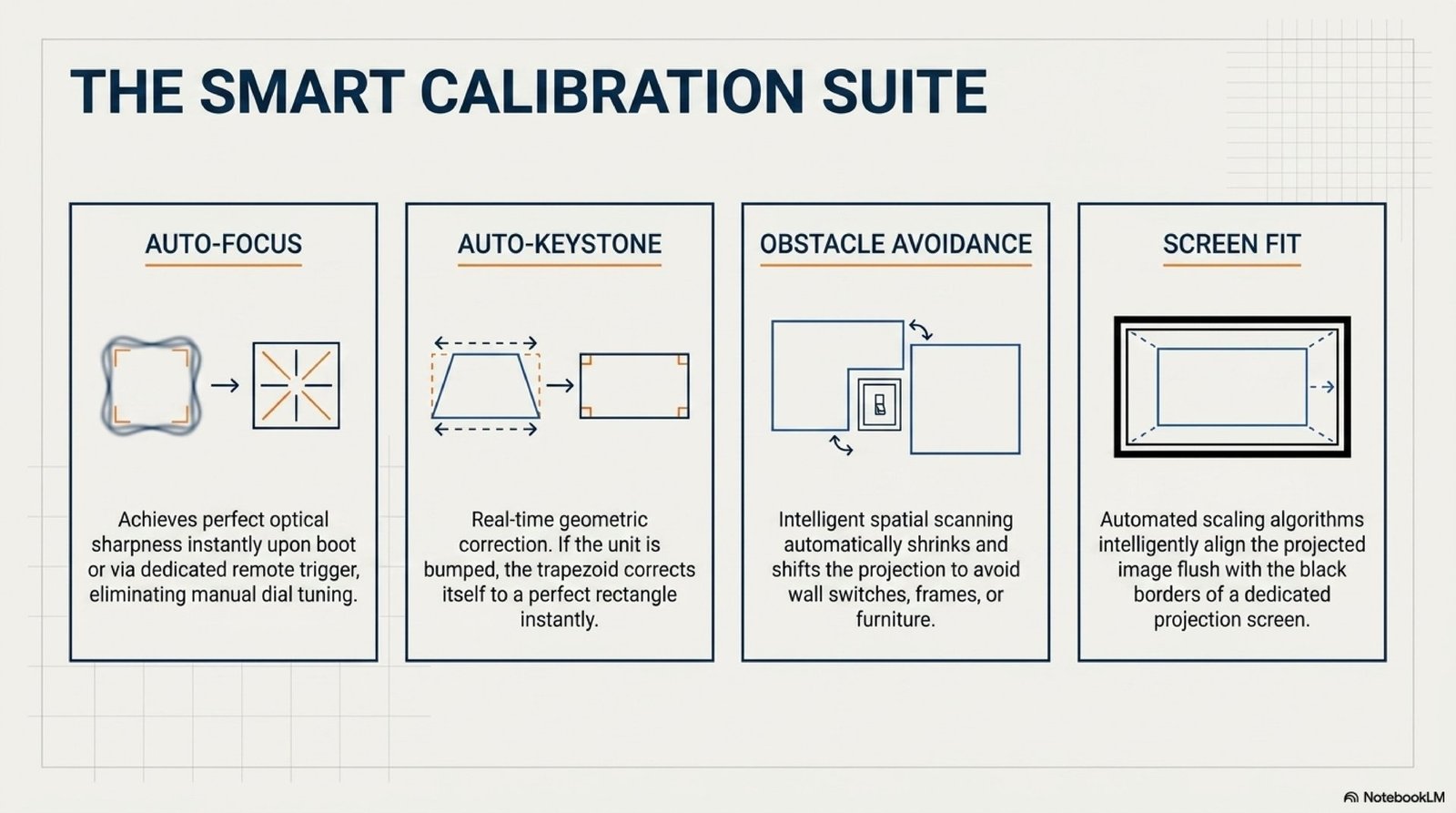
In practice: you put the projector on a table at an arbitrary angle to the wall — within 2–3 seconds the image auto-fits into a rectangle, focus locks, and if there’s a light switch or picture frame on the wall, the system detects it and shrinks the projection precisely to avoid the obstacle. Screen auto-fit then aligns the image inside the actual borders of your projection screen if you have one.
The “I brought the projector to a friend’s place, set it down, started Netflix 30 seconds later” scenario works literally that way — no menu, no twiddling.
12W audio and Bluetooth speaker mode
For a projector this size, 12W total output (2 × 6W full-range drivers + DSP amplifier) is above average. There’s an acoustic chamber inside that adds volume and resonance, plus hardware Dolby Audio decoding (AC3, Dolby Digital, Dolby Digital Plus).
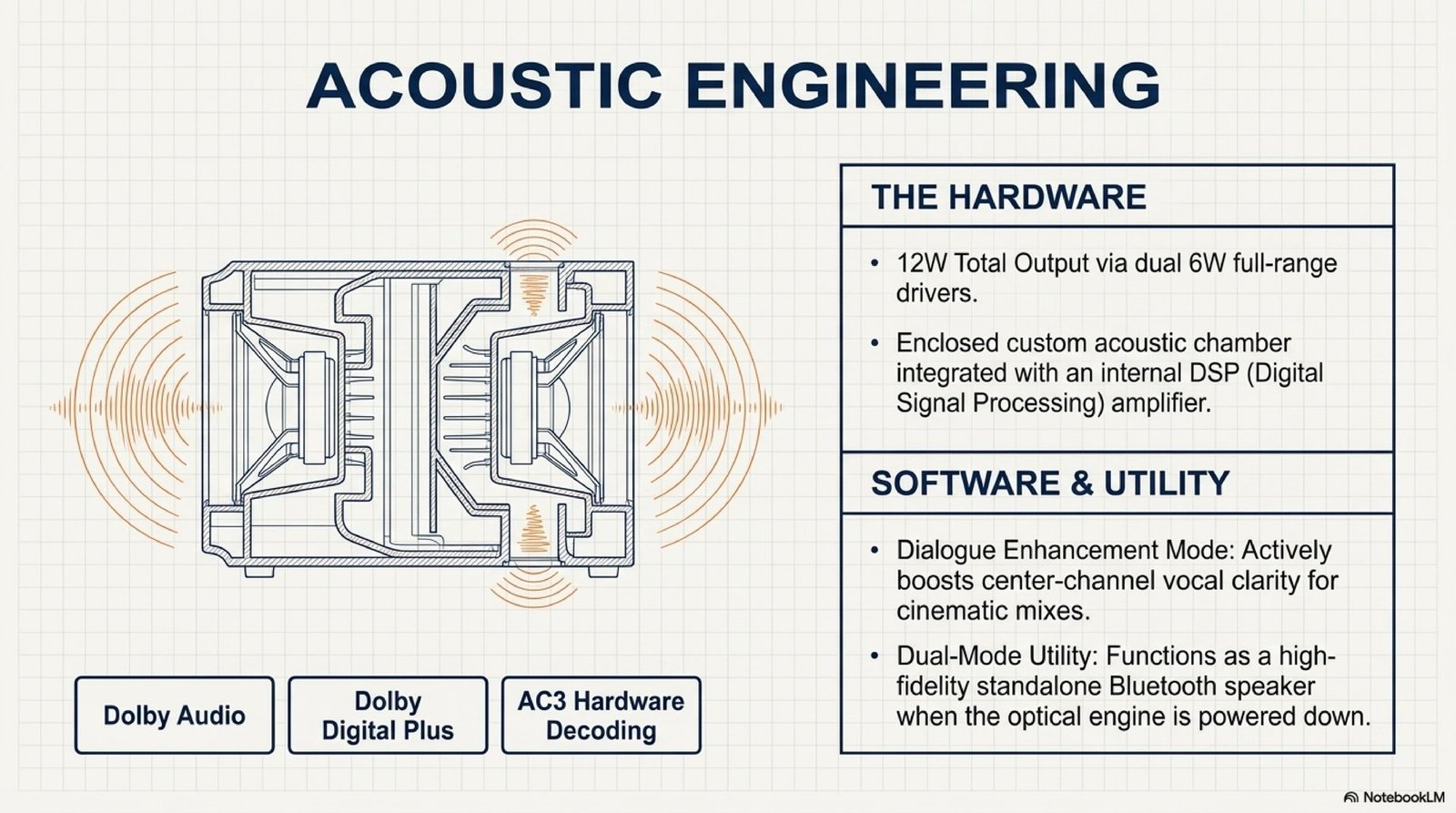
Useful details: a Dialogue Enhancement feature boosts the centre channel in multichannel tracks, so voices remain intelligible against music and effects. For a serious home cinema the built-in audio still isn’t enough — that’s what HDMI ARC is for, letting you connect a soundbar or 5.1 receiver over a single cable. How to pick the right speaker without overpaying for marketing we covered in our soundbar buyer’s guide.
A separate Bluetooth speaker mode turns off the lamp and uses only the audio system. Pair your phone via Bluetooth and Vali 1 Pro works as a regular portable speaker with surprisingly decent sound.
Google TV 14: Netflix L1, Widevine, Chromecast
This is the part that separates the Wanbo Vali 1 Pro from 90% of its budget competition running “grey” Android firmwares. Inside is officially certified Google TV 14 on the SDMC platform — the same software base that powers larger Google TV sets from Sony, TCL and Hisense.
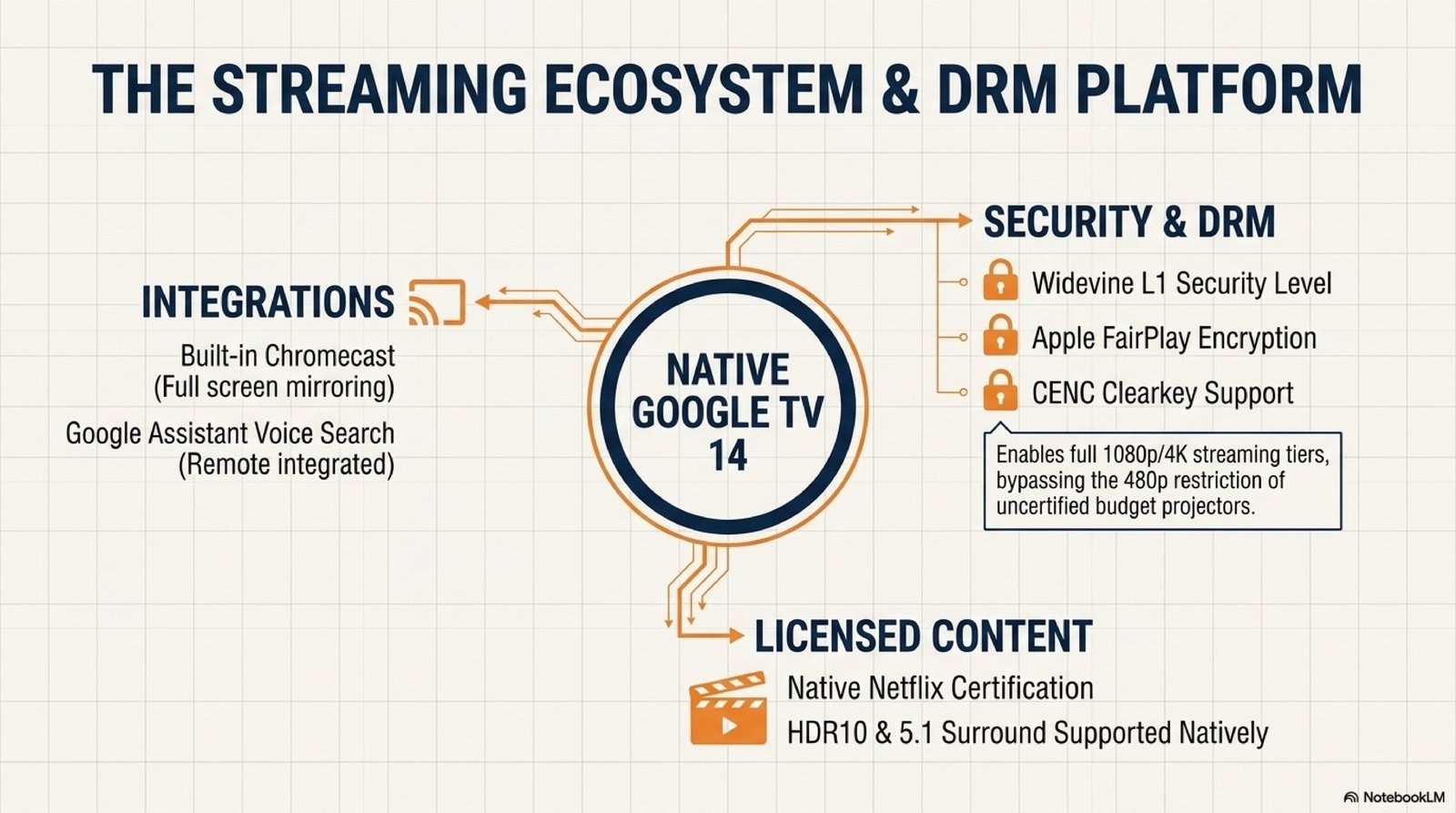
What the certification actually includes:
- Netflix Certified + Widevine L1. Netflix streams in Full HD with HDR support (not forcibly capped at SD/480p the way grey Android boxes are). The same DRM level keeps Disney+, Prime Video, Apple TV+ and HBO Max working as intended.
- Chromecast Built-in. Cast video and audio from any smartphone directly to the projector — no wires, no third-party apps — natively from YouTube, Spotify, Netflix.
- Apple FairPlay. Apple TV+ works correctly with iPhone and Mac — a rarity for non-Apple devices at this price.
- Google Assistant. Voice search on the remote, native English and major European languages.
One specific feature worth highlighting: NTFS drive support. Many certified platforms (including some Sony models) read only FAT32 and exFAT, which is useless for a 4K film (often >30 GB) since FAT32 caps individual files at 4 GB. The Wanbo Vali 1 Pro works directly with NTFS flash drives and external HDDs.
5GHz Wi-Fi and physical interfaces
The networking is dual-band Wi-Fi, but 2.4GHz is only there as a legacy fallback. Real-world performance lives on 5GHz: tested with a standard home router, the Wanbo Vali 1 Pro delivered ≈260 Mbps down and ≈238 Mbps up — well above what 4K streaming needs (typically 25–40 Mbps bitrate).
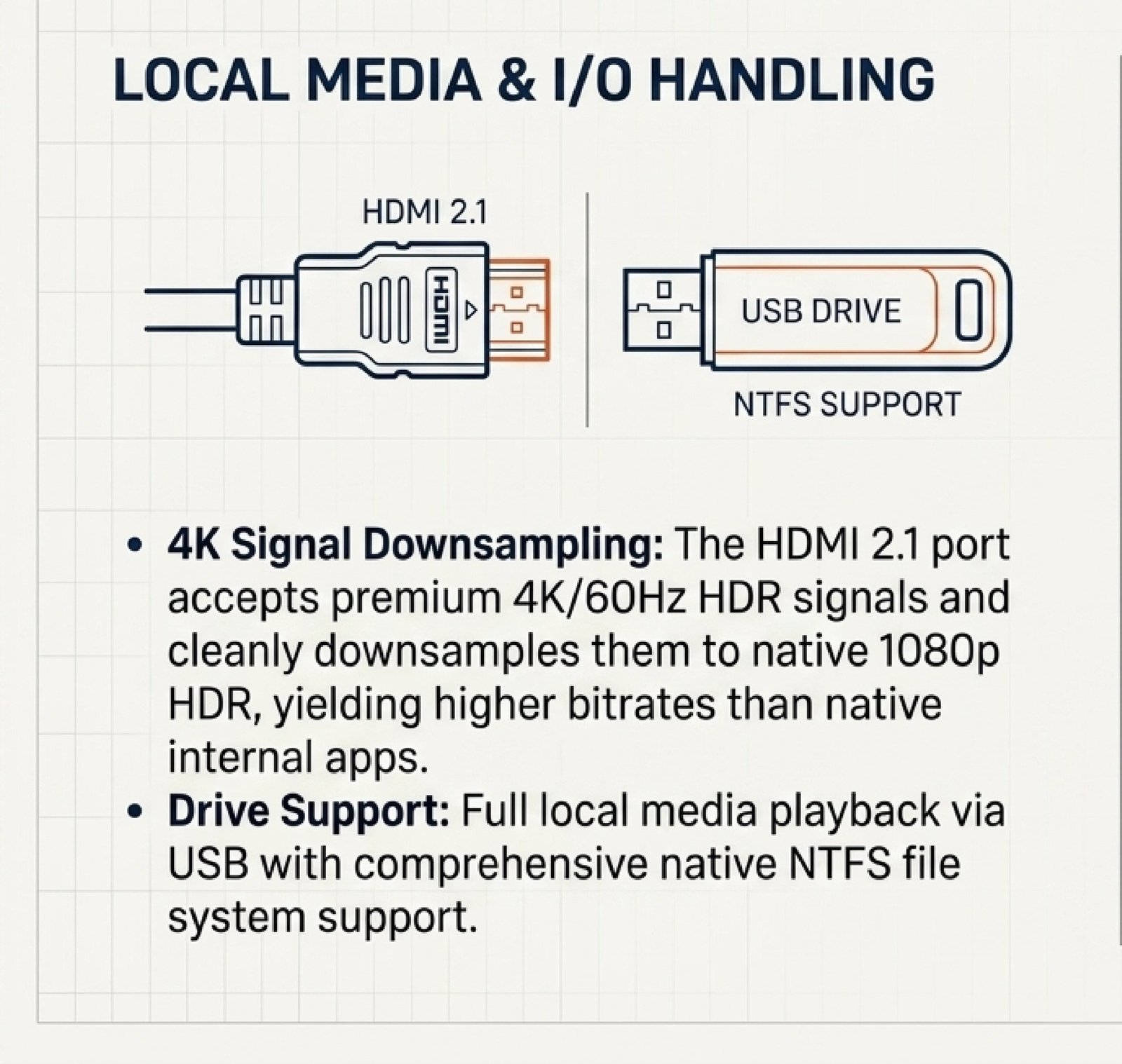
Physical interfaces are pared-down but cover the essentials: HDMI 2.1 with ARC (audio to a receiver over a single cable) and CEC (single-remote control), USB for external drives, a classic 3.5mm audio jack for headphones or external speakers. Bluetooth handles headphones, controllers and the smartphone-as-source mode.
External sources and casual gaming
Over HDMI the Wanbo Vali 1 Pro accepts a 4K@60Hz HDR signal and correctly downscales it to 1080p without sharpness loss. In practice this means: connecting a PlayStation 5, Xbox Series X/S, Apple TV 4K or a 4K media box delivers a noticeably better image than the internal player on the same files — because of higher source bitrate.
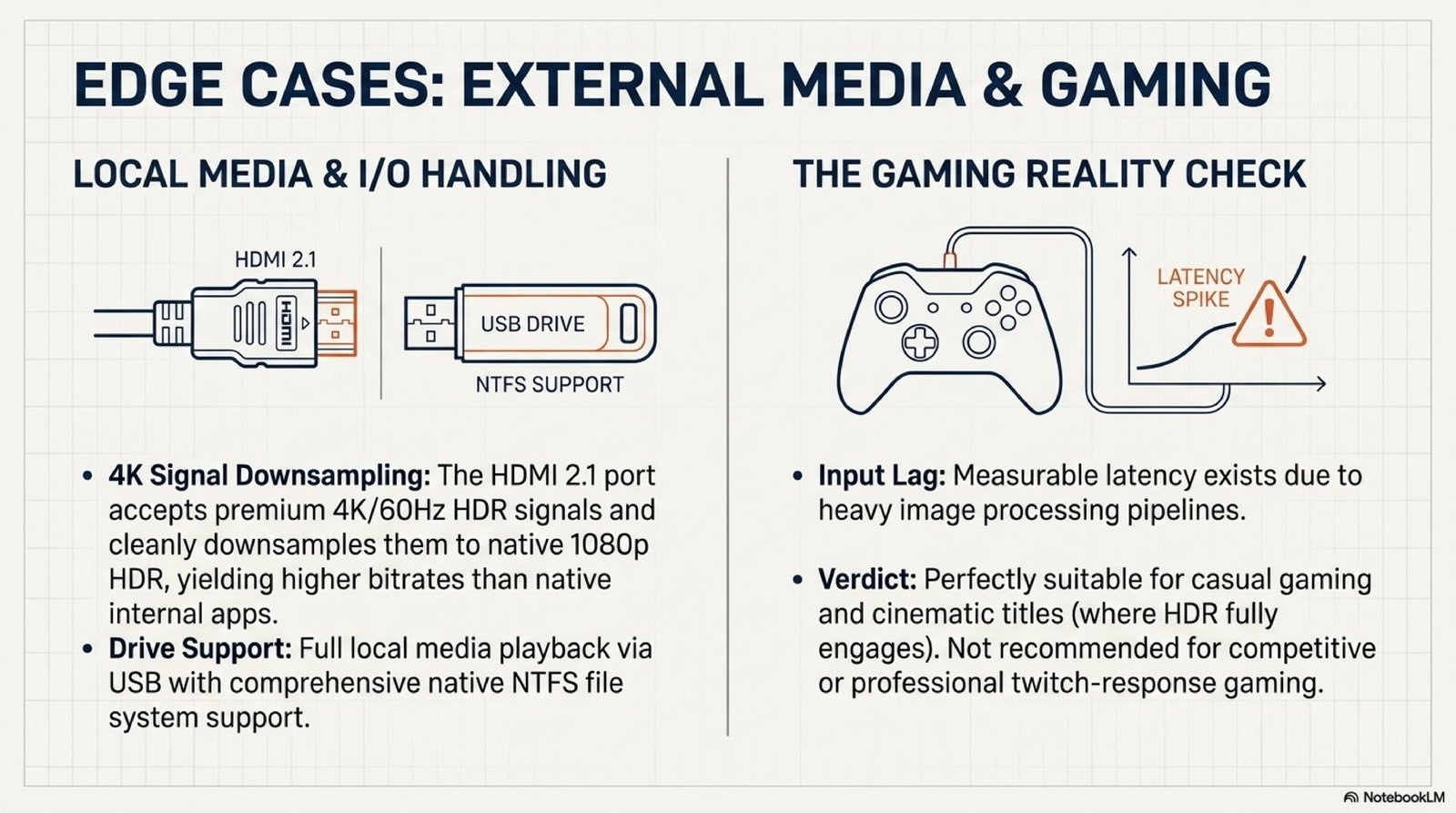
An honest gaming caveat: input lag is low enough for single-player and casual games (Spider-Man, FC, God of War, Forza), but not for competitive shooters like CS, Apex or Valorant where milliseconds matter. For a living-room PS5 setup with weekend story gameplay it’s an excellent fit. For esports it isn’t.
MEMC continues to work even over an external HDMI input, which is unusual — most competitors disable motion smoothing when you switch to an external source.
Quiet cooling and active dust removal
Dust is the main cause of slow LED-projector degradation. Every particle that lands on the matrix or optical block eventually turns into a visible dark spot on screen. The Wanbo Vali 1 Pro addresses this on two levels.

First layer — a replaceable dust filter ships in the box. It covers the main air intake and slides out easily for cleaning or replacement every 6–12 months depending on environment.
Second layer — a Dust Removal function in the system menu. One tap spins the fans up to maximum RPM and purges the internal airflow. Running this every 2–3 months is a small habit that can extend LED life by 1.5–2×.
In normal operation the cooling system is nearly silent — at 1.5 m it doesn’t intrude even during quiet film dialogue.
Verdict: light, brain, sound
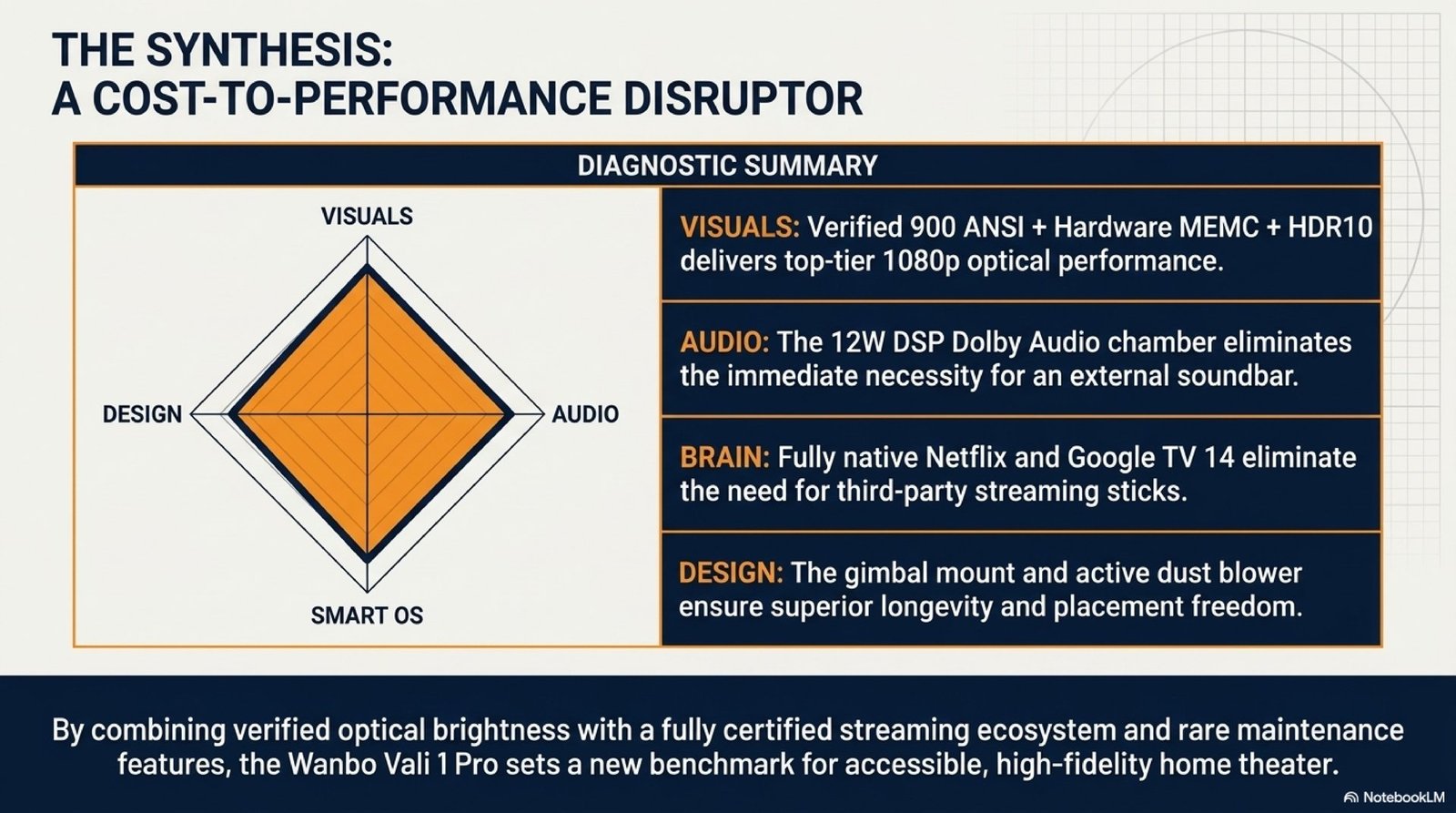
The Wanbo Vali 1 Pro wins on three axes at once, not just one. Light: measured 900 ANSI with HDR10 and MEMC. Brain: certified Google TV 14 with Netflix L1 and Widevine L1 — usually a $200–300 premium. Sound: 12W with Dolby Audio and DSP, plus Bluetooth speaker mode as a bonus.
Direct rivals at this price are scarce. The XGIMI MoGo 2 Pro has similar software but a much lower ≈400 ANSI brightness and no HDMI ARC. The Anker Nebula Capsule 3 Laser is laser-based but doesn’t hit a real 900 ANSI on a white screen, and lacks the 360° gimbal. The JMGO N1 Mini is cheaper but 1080p without HDR10 and without Netflix L1 certification.
Step-by-step setup after unboxing
To get the most from the technologies built into the Wanbo Vali 1 Pro, spend 10–15 minutes on proper setup after first power-on.
- Placement and orientation. Put the projector on a flat surface 2–3 m from the wall (for an 80–120″ diagonal). Use the gimbal stand to tilt the body for ceiling or high-wall projection.
- Initial Google TV setup. Sign in with your Google account via phone (on-screen QR code) and connect to 5GHz Wi-Fi (the SSID with a -5G suffix). Use 2.4GHz only if your 5GHz router is out of range.
- Image calibration. Settings → Picture → Auto Focus + Auto Keystone → Run. The projector remeasures distance and angle, corrects keystone and locks focus. Enable Obstacle Avoidance and Screen Auto-Fit for smart sizing.
- HDR and picture mode. Settings → Picture → Picture Mode → Cinema (for film) or Standard (for everyday content). Verify HDR10 activates automatically — an indicator appears in the top-right corner when an HDR source is detected.
- MEMC. Settings → Picture → Advanced → MEMC → Medium. High and Low give the “soap opera” effect — Medium gives the best balance of smoothness without artefacts.
- Soundbar over HDMI ARC. Use a quality HDMI 2.1 cable, plug into the HDMI port (there’s one, labelled ARC). Settings → Sound → Audio Output → ARC. Enable HDMI CEC to control volume from the projector remote.
- Activate Bluetooth speaker mode (optional). Settings → Bluetooth Speaker Mode → Enable. The lamp turns off and only the audio system stays active — useful for playing music from a phone.
- Dust maintenance. Settings → System → Dust Removal → Run. Do this every 2–3 months. Check and clean the air-intake filter every 6 months.
Frequently asked questions
Does the Wanbo Vali 1 Pro support 4K?
The panel is native 1080p. A 4K signal over HDMI is accepted and downscaled without sharpness loss. For a projector in this price segment, native 1080p is the honest and optimal choice — there’s no artificial pixel-shifting marketed as “4K”.
Will the image be visible in daylight?
900 ANSI lumens is the threshold where a projector starts working in a partially-lit room (closed curtains during the day). For direct sunlight and wide-open windows, any projector will be insufficient — you need a TV.
Can I use it as a Bluetooth speaker without projection?
Yes, there’s a dedicated Bluetooth Speaker mode. The projector turns off the lamp and only the audio system stays on. Phone pairing is standard, through Bluetooth settings.
Is it suitable for presentations and office use?
Yes. The crisp 1080p panel renders fonts down to 10pt, Chromecast Built-in lets you mirror from a MacBook or Windows laptop wirelessly, and USB supports NTFS flash drives for presentations. For a 10–15 person conference room, 900 ANSI is sufficient.
Does it have a built-in battery?
No, the Wanbo Vali 1 Pro runs only on mains power. The cable routes through the stand for aesthetics but the projector isn’t cordless. For outdoor cinema you’ll need an extension cord or a portable PowerStation.
Bottom line
The Wanbo Vali 1 Pro fixes three of the most common weaknesses in budget projectors at once: dishonest brightness numbers (here 900 ANSI is luxmeter-verified), a grey Android firmware without Netflix HDR (here officially certified Google TV 14 with Widevine L1), and a throwaway build without serviceability (here a replaceable filter, software-driven dust purge, and standard tripod mount).
The honest limitations are also clear: native 1080p (not 4K), no Dolby Vision or HDR10+, input lag that doesn’t work for competitive gaming. If none of that is critical — and for 90% of home-cinema scenarios it isn’t — the Wanbo Vali 1 Pro delivers picture, software and audio at a level that costs 2–3× more in premium-segment projectors.
If you’re also shopping for a wearable, see our hands-on Huawei Watch Fit 4 Pro review with battery and GPS testing.
💡 This review contains affiliate links. If you click through and make a purchase, we may earn a commission at no extra cost to you. This supports our editorial work and does not affect our recommendations. Learn more →