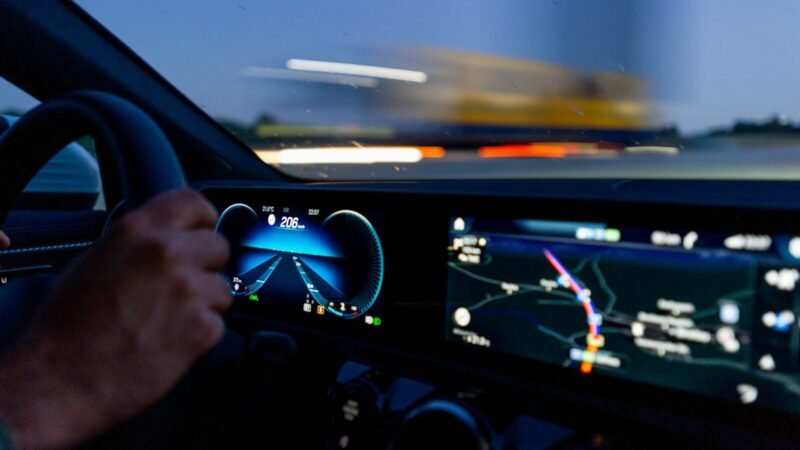
A parent at the wheel is constantly torn between two tasks: watching the road and checking on the child in the back seat — especially when the car seat faces rearward and the child isn’t visible in the mirror at all. Every glance back is seconds without eyes on the road, and at 60 km/h a car covers 33 metres blind in two seconds.
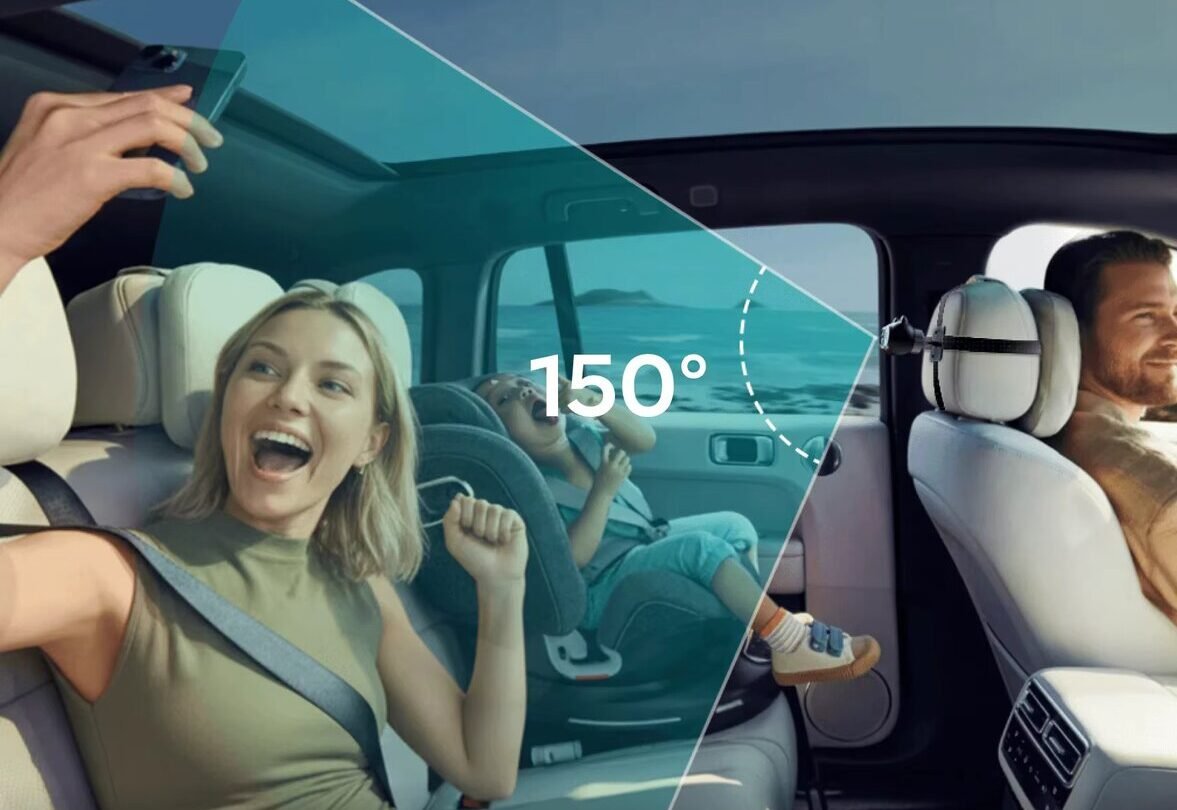
The Ottocast Cabin Care solves this differently — it’s not just a wireless CarPlay adapter and not just a cabin camera, but a bimodal system: a wireless CarPlay gateway plus a streaming HD camera in one device. Navigation and a live feed of the rear passengers run simultaneously on the car’s factory screen. The camera is Full HD 1080p with a 150° field of view and automatic IR illumination for night.
This Ottocast Cabin Care review breaks down what the device does in practice, where it has honest limitations (there are three, and they’re significant), and how to set it up after installing it in the car.
The parent-driver dilemma
The problem the device targets is familiar to any parent. Safe driving requires unbroken focus on the road via CarPlay navigation. Parenting requires constant physical and visual checks on the back seat. These two tasks conflict: to look at the child, you have to take your eyes off the road.
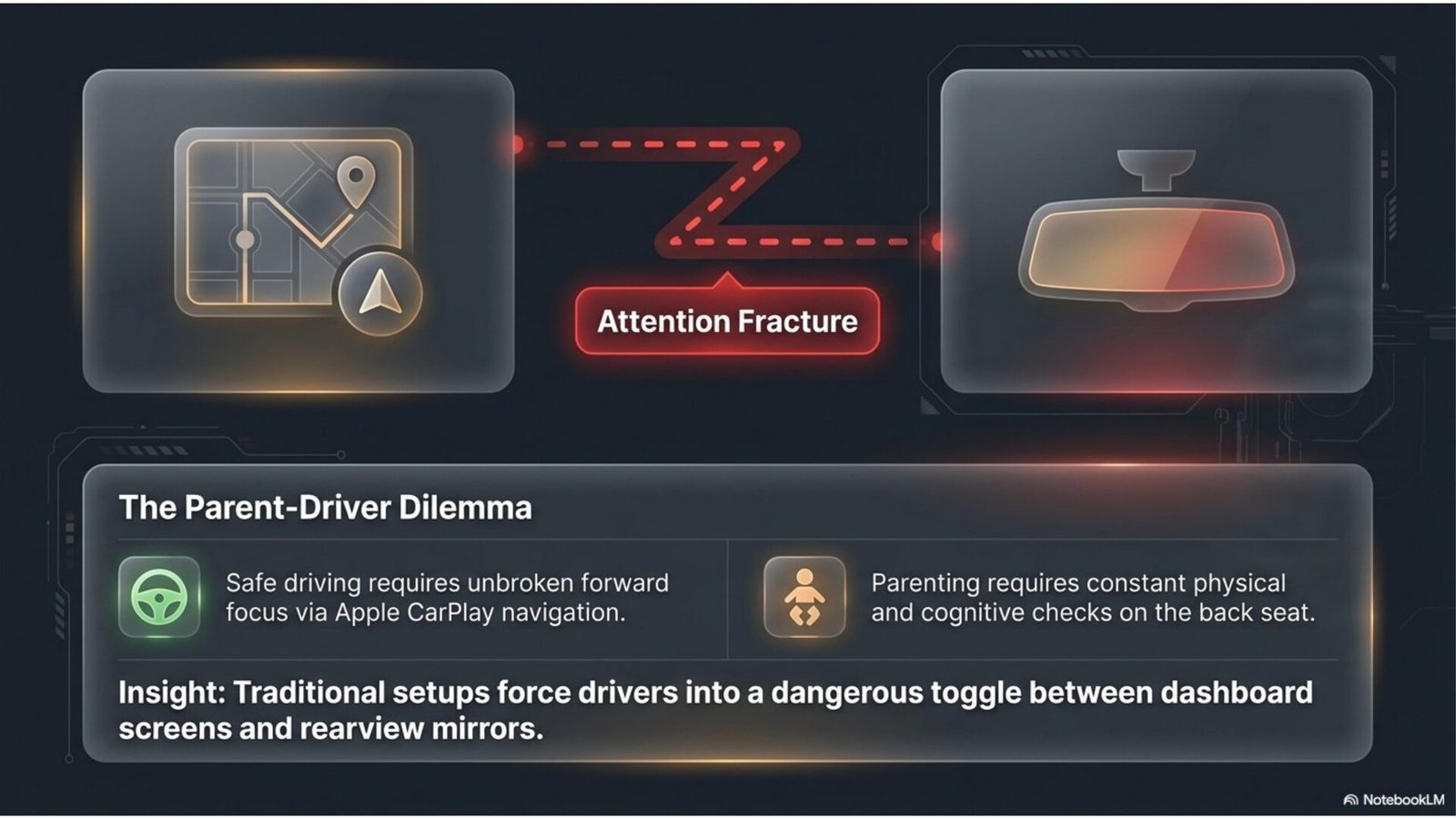
Traditional setups force the driver to keep switching between the navigation screen and the rearview mirror — or a physical head-turn. That’s the “attention fracture,” the main source of danger in city traffic with kids on board. The Ottocast Cabin Care removes the need to choose: navigation and child are in the same field of view on the factory screen.
The 2-in-1 solution: CarPlay plus camera
Technically the device has two parts: a dongle that plugs into the car’s factory CarPlay USB port, and a detachable optical module (camera) mounted in the back seat. Both feeds route directly to the car’s infotainment screen.
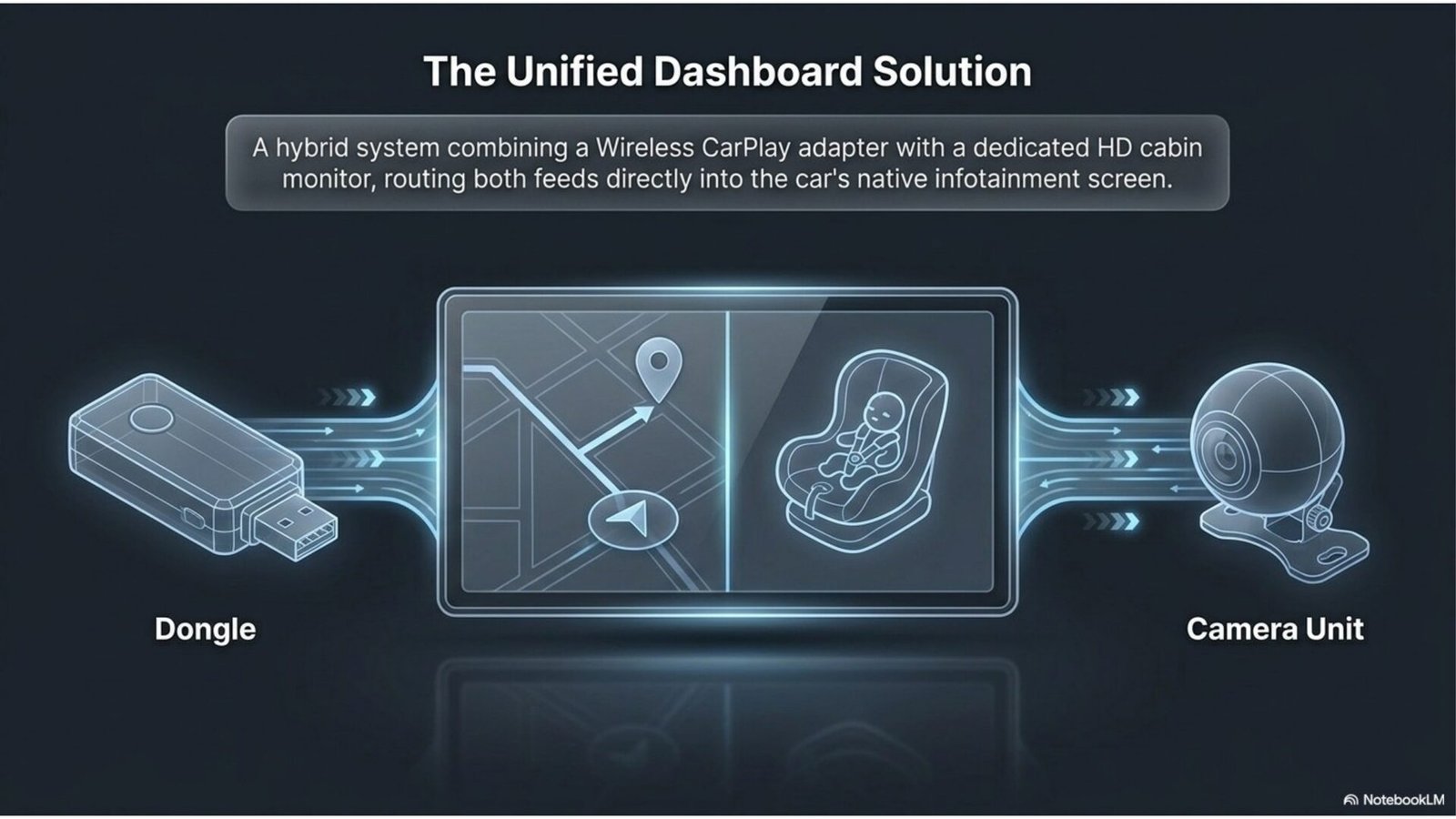
The key to this architecture is that the device works as an integrated bridge without touching the factory system. It doesn’t replace the head unit and doesn’t require reflashing or dismantling the dash: it plugs into the existing CarPlay port and uses it. All native car functions are preserved.
Optics: a camera that sees the whole cabin
The camera is the most important part of the system, and the specs here are concrete:
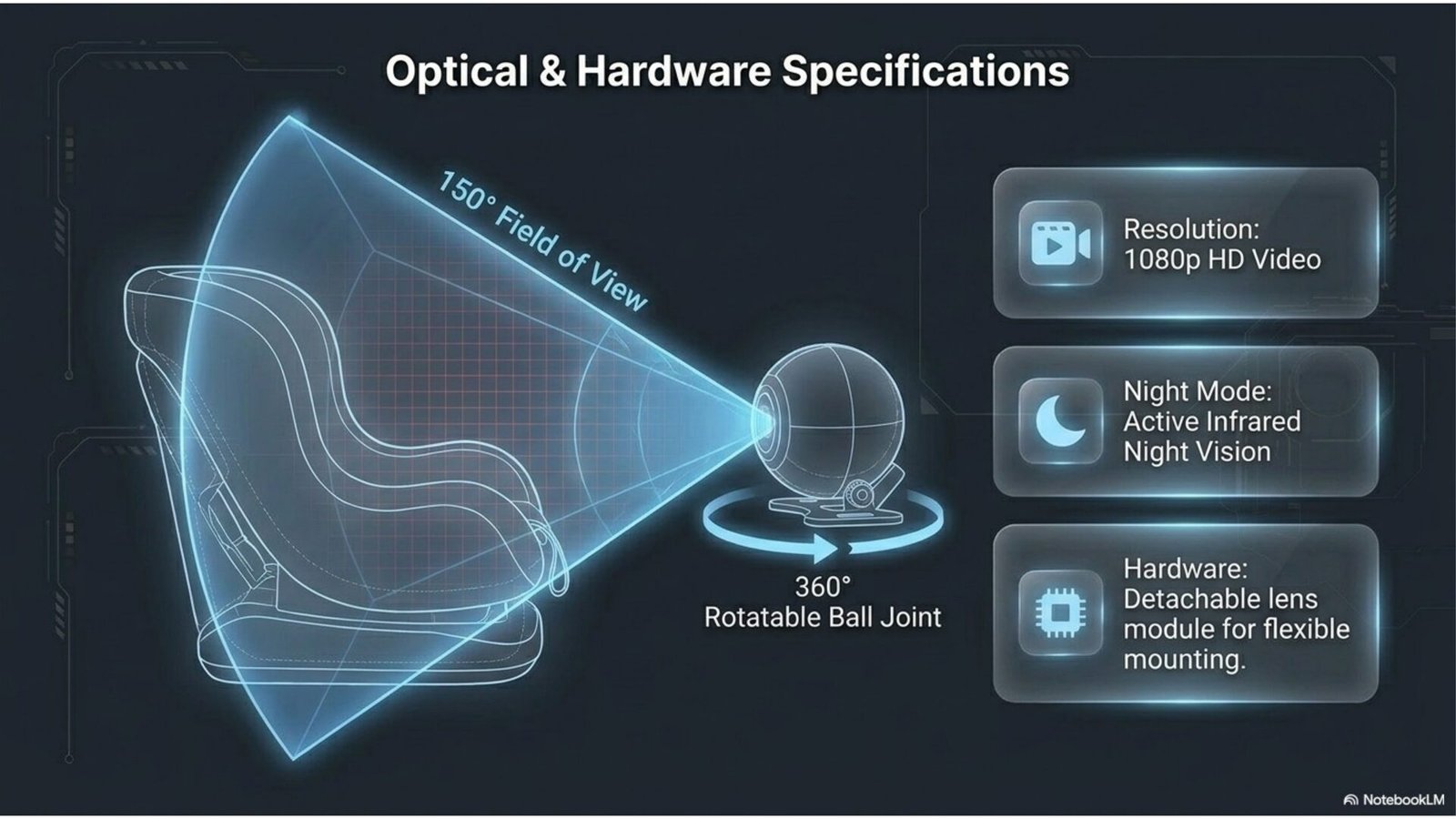
- Full HD 1080p resolution. Enough pixel density to read a child’s expression, not just a silhouette. Digital zoom lets you close in on a face without catastrophic loss of detail.
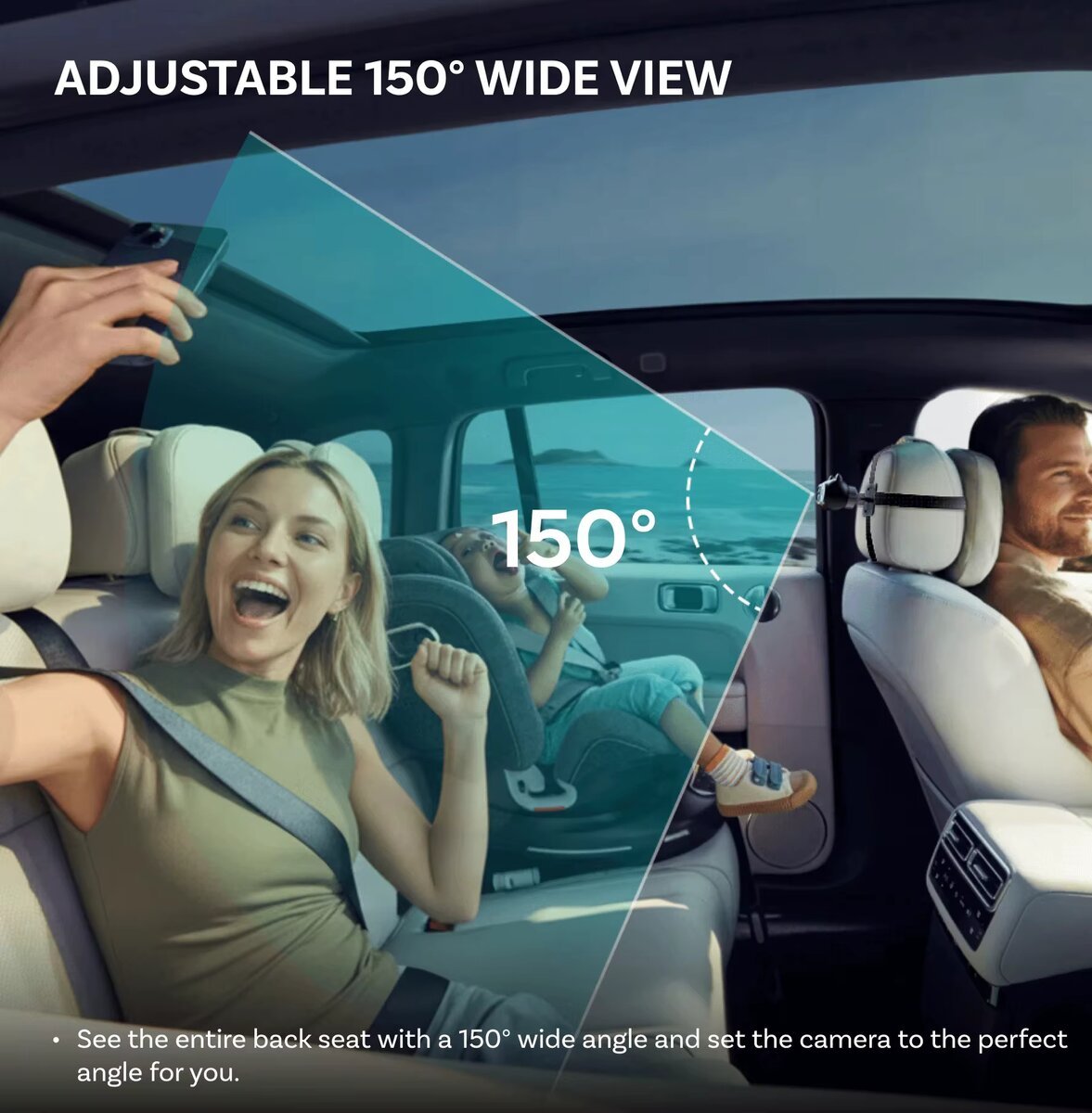
- 150° field of view. The ultra-wide lens covers the entire rear row. Combined with zoom it eliminates blind spots inside the cabin — the child’s status is checked with a single glance at the screen.
- IR night vision. Automatic infrared illumination gives a stable image in total darkness without blinding passengers with visible light. It works on night drives with no cabin lighting.
- 360° rotation. An “owl’s-eye” ball-joint mount lets you aim the angle precisely — tilt and rotate in any direction.
The on-screen interface offers digital zoom, cropping and mirroring — the last is useful if the camera is mounted so the image comes out reversed.
Display modes: Full, Split and PiP
The main functional value is three on-screen output modes you can switch between as the situation demands.
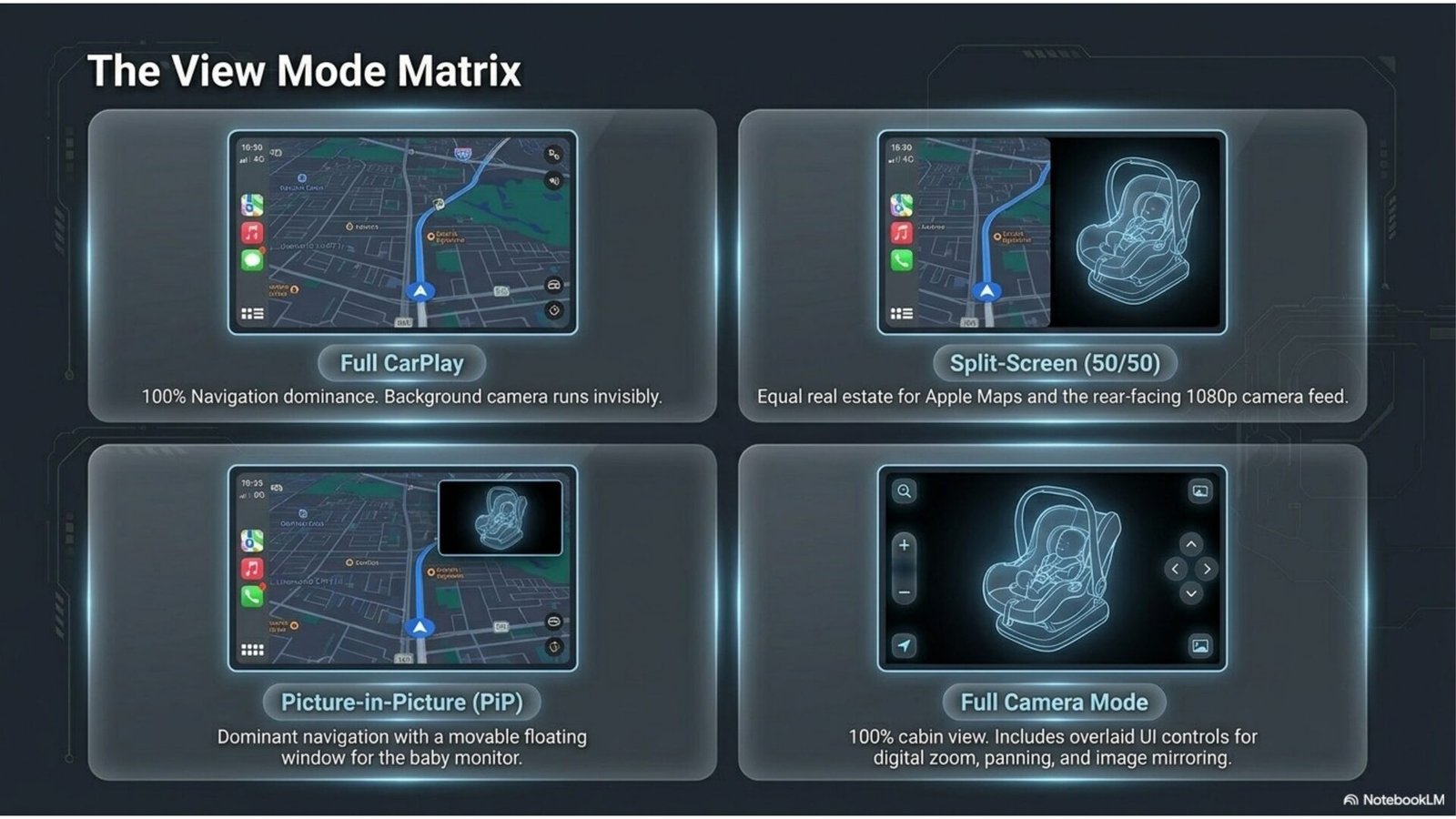
- Full Screen. Camera or CarPlay across the whole display — when you need maximum detail from one source.
- Split-Screen 50/50. The navigation map and the cabin feed side by side. Each source takes half the screen.
- Picture-in-Picture. The camera in a floating window over navigation, which you can move freely around the screen with a finger.
PiP is the most practical mode for city traffic: you run the route in Waze or Google Maps while the child stays in view in a small window. No physical turn backward, which lowers cognitive load and keeps your eyes in the road zone.
Performance: cold start in 4–9 seconds
Auto-connect speed determines how “factory-like” the device feels. Here it’s a pairing of two protocols: Bluetooth 5.4 for an energy-efficient initial handshake with the phone, and 5GHz Wi-Fi for the stable bitrate needed to stream 1080p video and CarPlay data simultaneously without freezes.
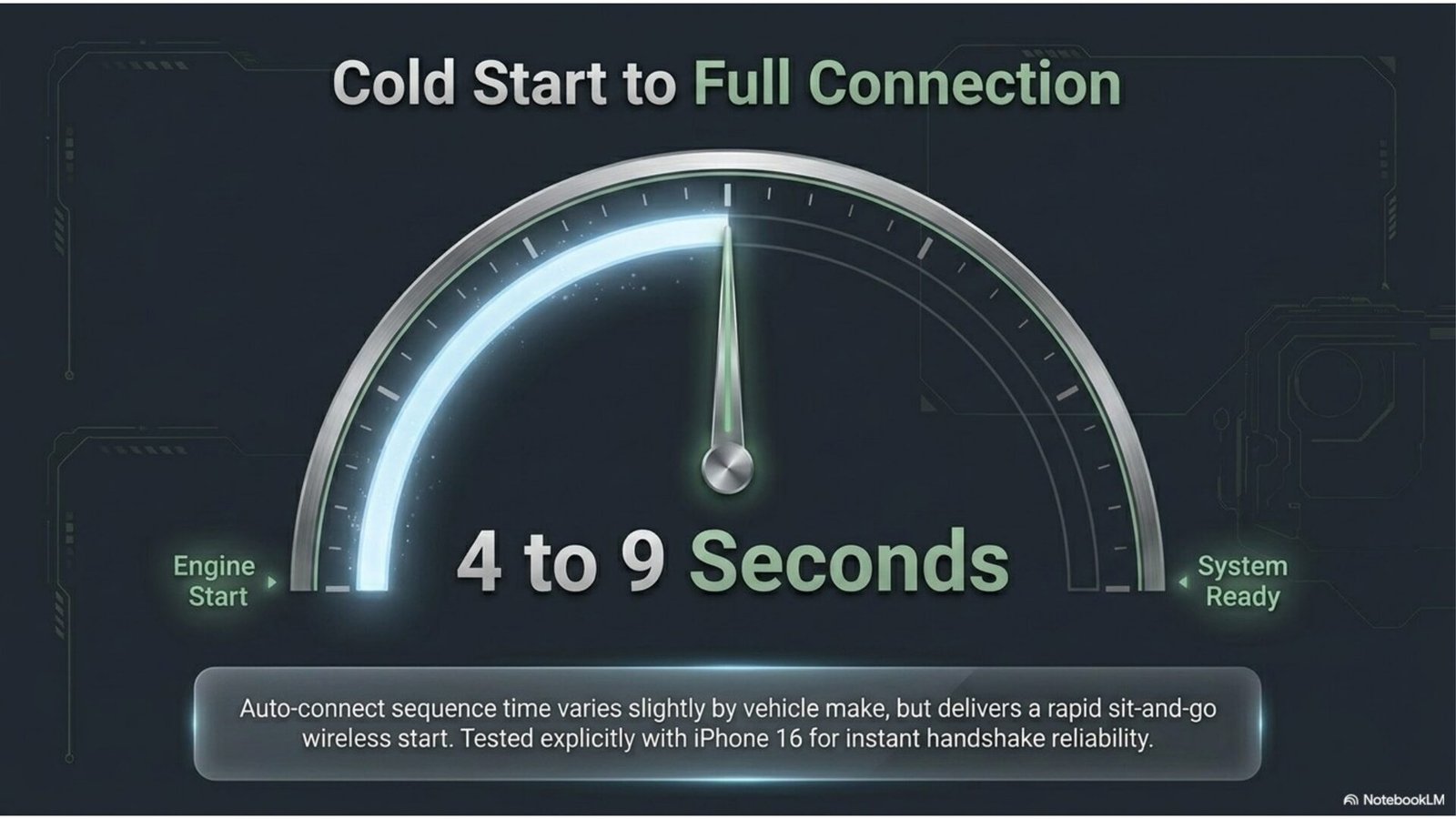
A full boot to interface readiness takes 4–9 seconds depending on the car’s factory-system hardware. In practice: you get in, start the engine, and CarPlay and the camera are already running by the time you pull out. There’s no manual reconnection at every start — and that’s the key difference from cheap adapters, where reconnecting takes longer and sometimes needs manual intervention.
Installation in 3 minutes
Mounting requires no wiring work or cabin disassembly. The dongle plugs into the factory CarPlay USB port; the camera mounts in the back seat and needs its own USB power.
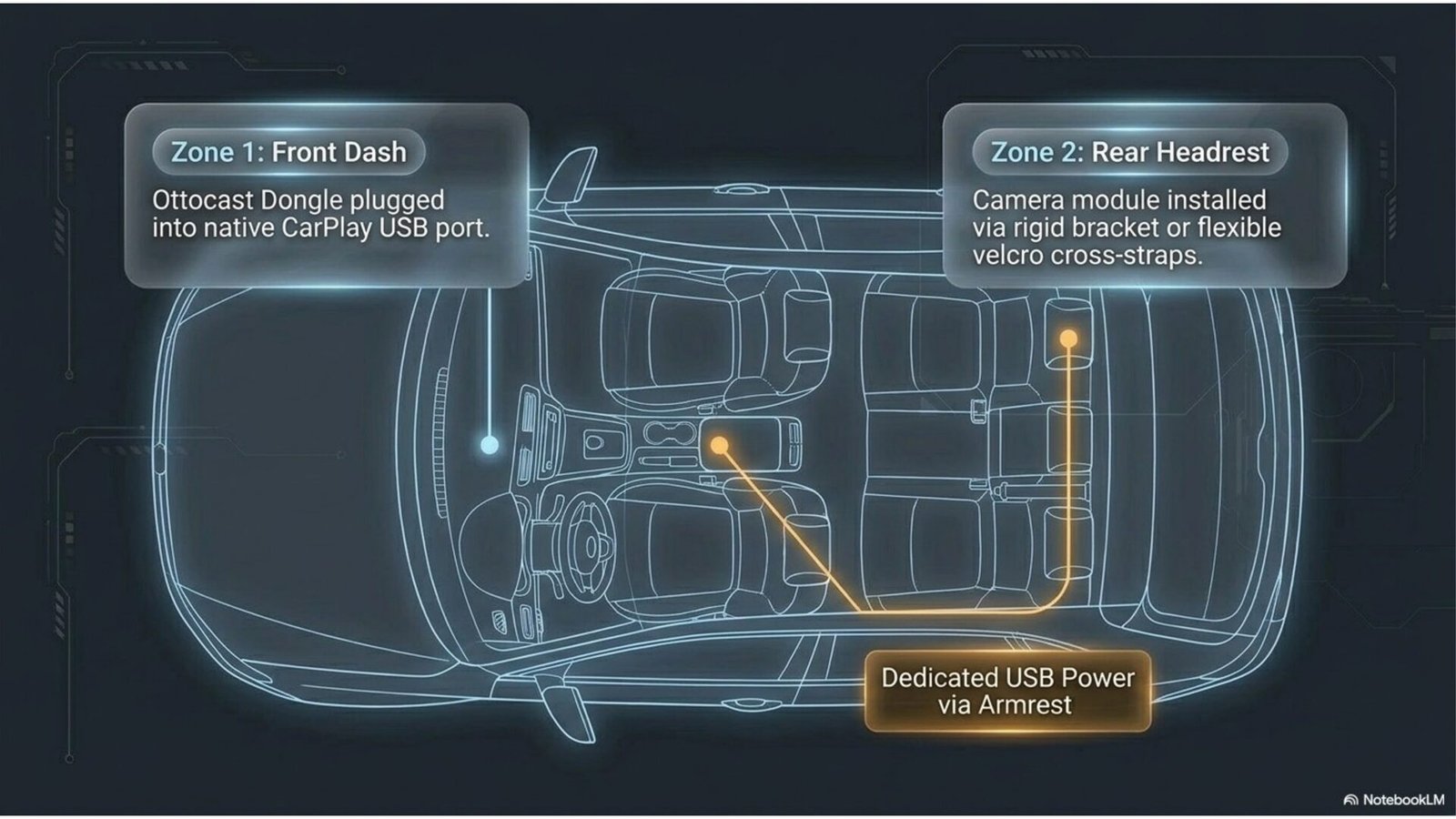
The box includes two camera mount types for different seats:
- Rigid bracket for headrest posts. The most stable fix with 360° angle adjustment. Ideal for classic seats.
- Elastic textile straps (velcro). Wrap softly and safely around integrated headrests on sport bucket seats, where a rigid bracket doesn’t fit.
The optical module fully detaches from the base bracket — letting you either hide the camera or move it between trips. Power supports USB-A and USB-C standards (via the included adapter). The universal mounts mean the device leaves no marks on cabin trim — from leather seats to sport buckets.
Integration with the car
The device preserves the native driving experience without breaking familiar functions:
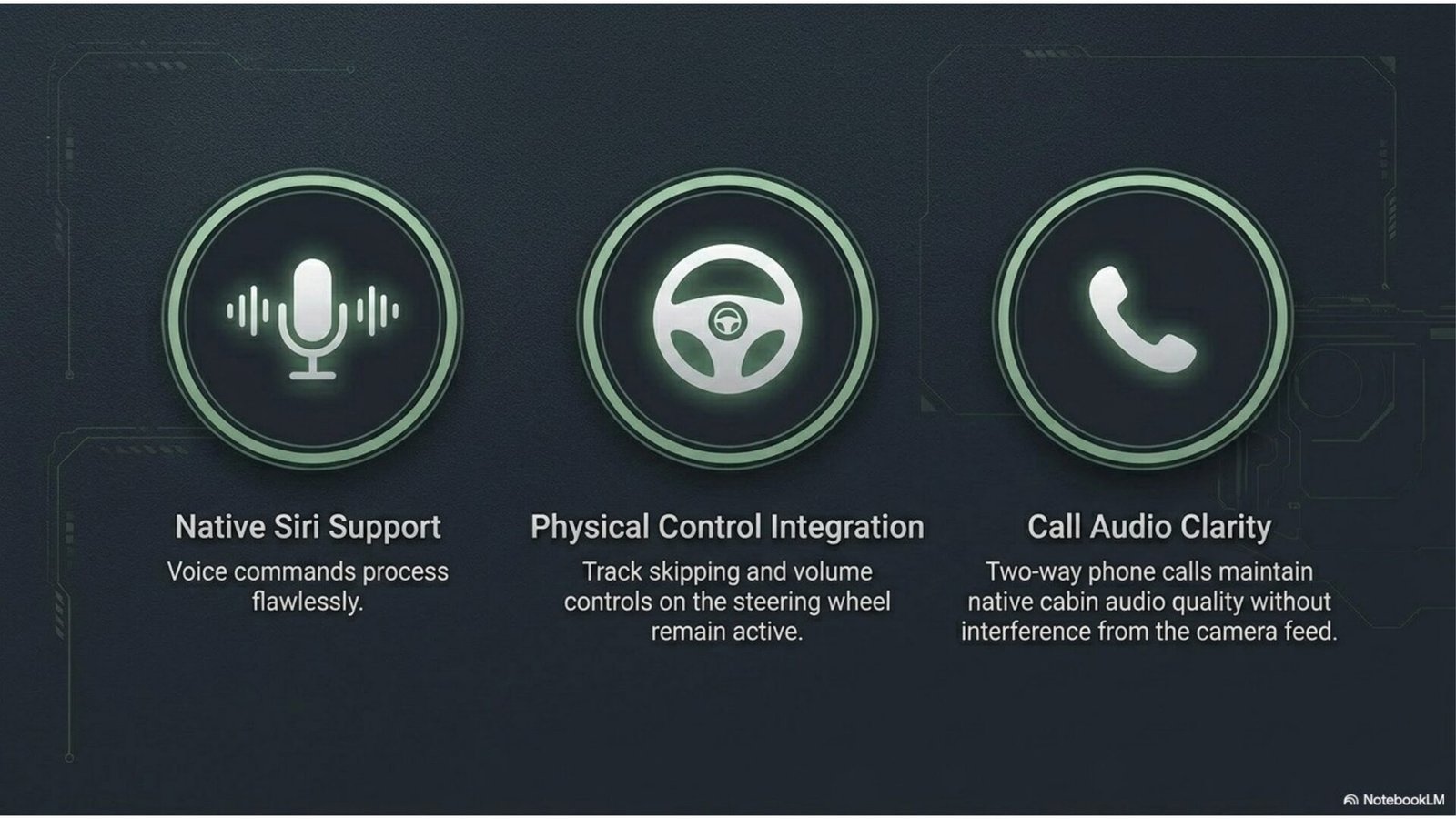
- Steering-wheel controls. Track skipping and volume buttons work without lag.
- Voice assistant. Siri controls navigation and calls correctly.
- Call quality. Hands-free calls route through the factory audio system without sound distortion.
Compatibility is confirmed by testing on iPhone 16 — meaning the device works with current Apple hardware, not just older models. That lowers the risk of technical conflicts at purchase.
System limitations: what to know before buying
The device has three significant limitations, and they’re worth understanding upfront — these aren’t quality complaints but boundaries of applicability.
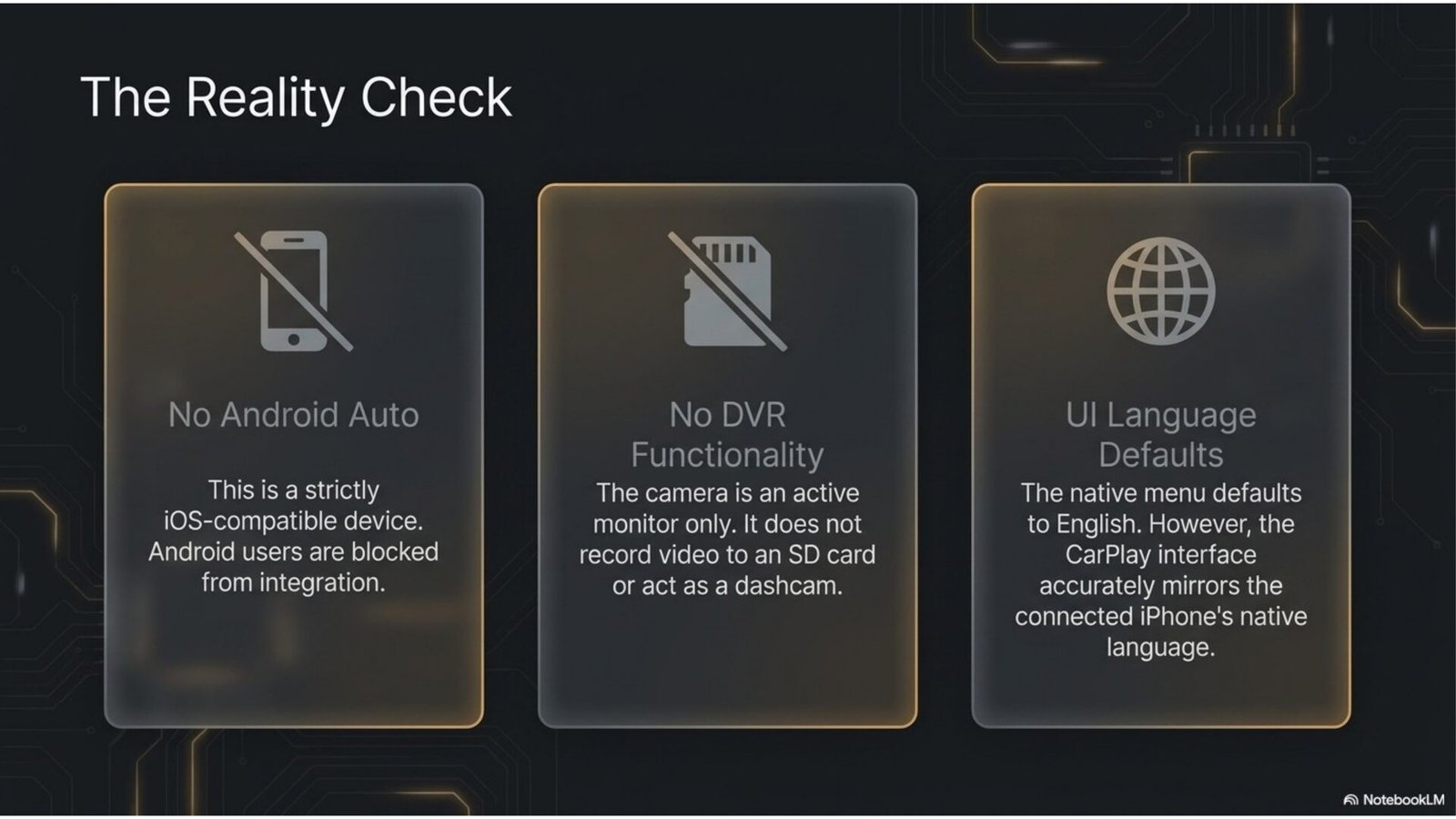
- iPhone only. The device is built exclusively for the Apple CarPlay ecosystem. Android Auto isn’t supported — for Android phone owners it’s useless.
- It’s not a dashcam. The camera works in real-time mode only. There’s no SD-card recording or DVR function. If you need crash footage, that’s a different class of device.
- Menu defaults to English. The device’s settings interface is available only in English and other foreign languages. The CarPlay interface itself, however, displays in your phone’s language — the limitation applies only to the adapter’s own menu.
This is a niche gadget. When choosing a niche device with no direct equivalents, it’s especially important to weigh real value against price — how to do that without overpaying we covered in our smart online shopping guide.
Verdict: who this device is for
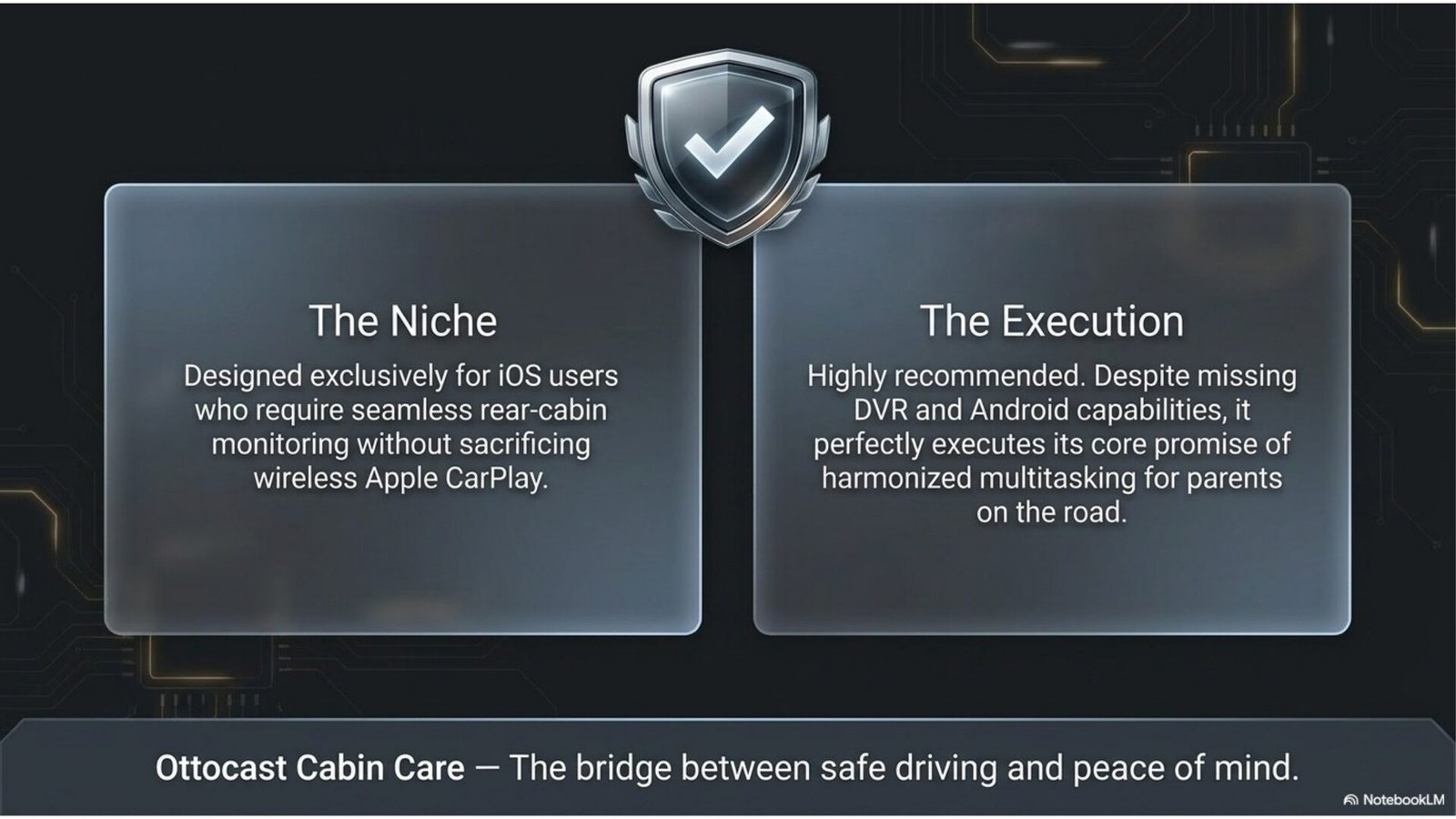
The Ottocast Cabin Care wins not through versatility but through precise aim at a niche. There’s almost no direct equivalent in this form factor (wireless CarPlay plus HD cabin monitoring in one device): ordinary adapters give you only CarPlay, and standalone cabin cameras don’t integrate into the factory screen. Its strengths — instant 5GHz Wi-Fi connection, correct steering-wheel button and microphone behaviour, well-executed multi-screen.
The target audience is very specific: parents with small children (especially in rear-facing seats), taxi drivers, pet owners who need visual cabin control. If you’re in that group and own an iPhone, the device addresses a real safety need. If you have Android, need a dashcam, or want a menu in your native language — this isn’t your option.
Step-by-step setup after installation
To get the Ottocast Cabin Care running in auto-connect mode, spend 10–15 minutes on initial setup.
- Connect the dongle. Plug the adapter into the car’s factory USB port that supports wired CarPlay (usually marked with a phone or CarPlay icon). Wait for the indicator on the body.
- Mount the camera. Fix the optical module in the back seat — with the rigid headrest-post bracket or the textile velcro straps. Connect camera power via USB (use the included USB-A/USB-C adapter if needed).
- Initial pairing. On the iPhone, turn on Bluetooth and Wi-Fi. On first launch the device requests a Bluetooth 5.4 pairing — confirm it. After that the connection establishes automatically over 5GHz Wi-Fi.
- Aim the camera. Via the on-screen interface, aim the angle at the car seat or monitoring zone. Use the 360° rotation on the mount and digital zoom to fine-tune the frame.
- Mirroring (if needed). If the camera image comes out reversed relative to reality, enable Mirroring in the image settings.
- Choose a display mode. For everyday driving, enable Picture-in-Picture — navigation full-screen, camera in a floating window. Drag the window to a convenient corner with a finger.
- Verify integration. Confirm the steering-wheel buttons control volume and tracks, Siri responds, and calls route through the factory audio system.
- Test auto-connect. Switch the engine off and on again. The system should connect on its own in 4–9 seconds with no manual input. If it doesn’t, check that Wi-Fi and Bluetooth on the iPhone aren’t disabled by power-saving mode.
Frequently asked questions
Does the Ottocast Cabin Care work with Android?
No. The device is built exclusively for Apple CarPlay; Android Auto isn’t supported. It won’t suit Android phone owners — this is a fundamental limitation, not a firmware question.
Can the camera be used as a dashcam?
No. The camera works in real-time monitoring mode only. There’s no SD-card recording or DVR function. You’ll need a separate dashcam for crash footage.
Do I need a car with factory CarPlay?
Yes. The device plugs into a factory USB port that supports wired CarPlay and turns it wireless, plus adds the camera. If your car has no factory CarPlay, the device won’t work.
Is the image visible at night?
Yes. The camera has automatic infrared illumination that activates in darkness and delivers a stable image without visible light, without blinding passengers. Night drives with no cabin lighting are a standard scenario.
Is there a menu in other languages?
The device’s own settings menu is in English and other foreign languages only. The CarPlay interface, however, displays in your phone’s language, so navigation and apps appear in your usual language.
Bottom line
The Ottocast Cabin Care addresses a specific need that neither an ordinary CarPlay adapter nor a standalone cabin camera solves: simultaneous control of the road and passengers on one factory screen. Full HD 1080p, a 150° angle, IR night vision, Picture-in-Picture and instant 5GHz Wi-Fi auto-connect together deliver what the device is bought for — peace of mind while driving with a child in the back seat.
The honest limitations are significant: iPhone only, no recording function, no menu in many local languages. If even one of those is critical, the device won’t fit. But for a parent with an iPhone who needs visual control of a child without taking eyes off the road, there’s almost no direct equivalent in this form factor on the market.
💡 This review contains affiliate links. If you click through and make a purchase, we may earn a commission at no extra cost to you. This supports our editorial work and does not affect our recommendations. Learn more →